Billable
8 min
Feature Overview
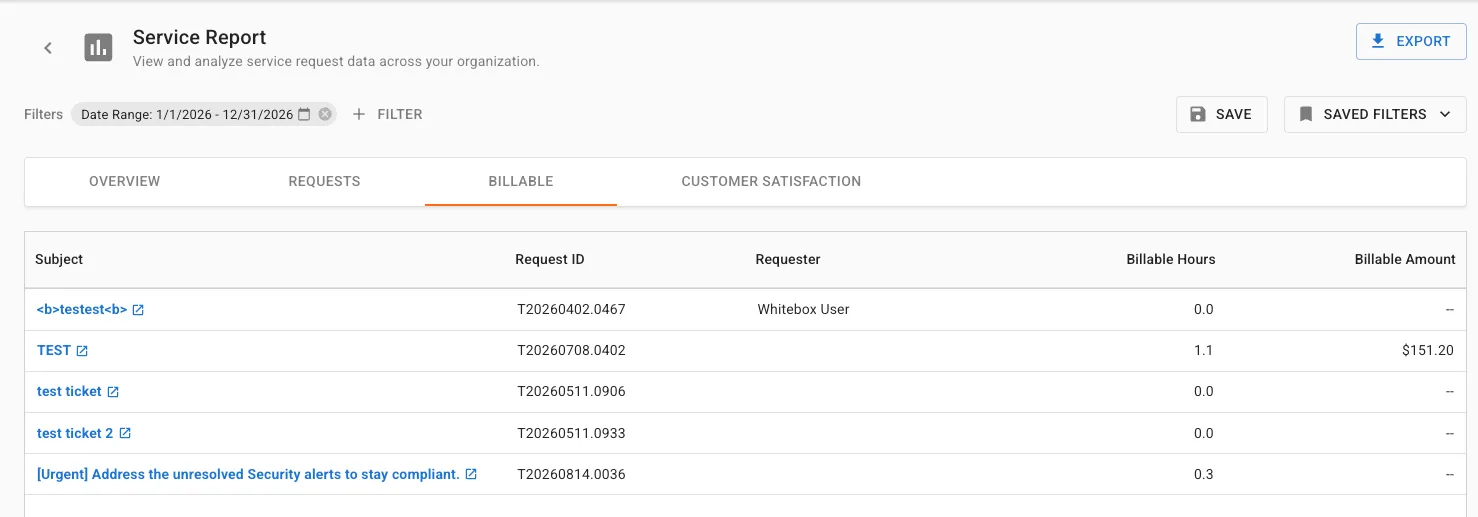
The Billable tab provides visibility into requests that contain billable work, allowing account teams and service managers to understand customer billing activity.
Functionality Overview
Users can:
- Review billable service activity.
- Analyze billable hours.
- Review billed amounts.
Getting Started
Accessing the Feature
- Open SHI One Service Report.
- Select Billable.
Using Billable Tab (Step-by-Step Guides)
1. Reviewing Billable Activity
- Review summary widgets.
- Analyze:
- Billable Requests
- Billable Hours
- Billable Amounts
- Review ticket details.
- Result: Billable service activity is visible and reportable.
2. Filtering Billable Data
- Apply available report filters.
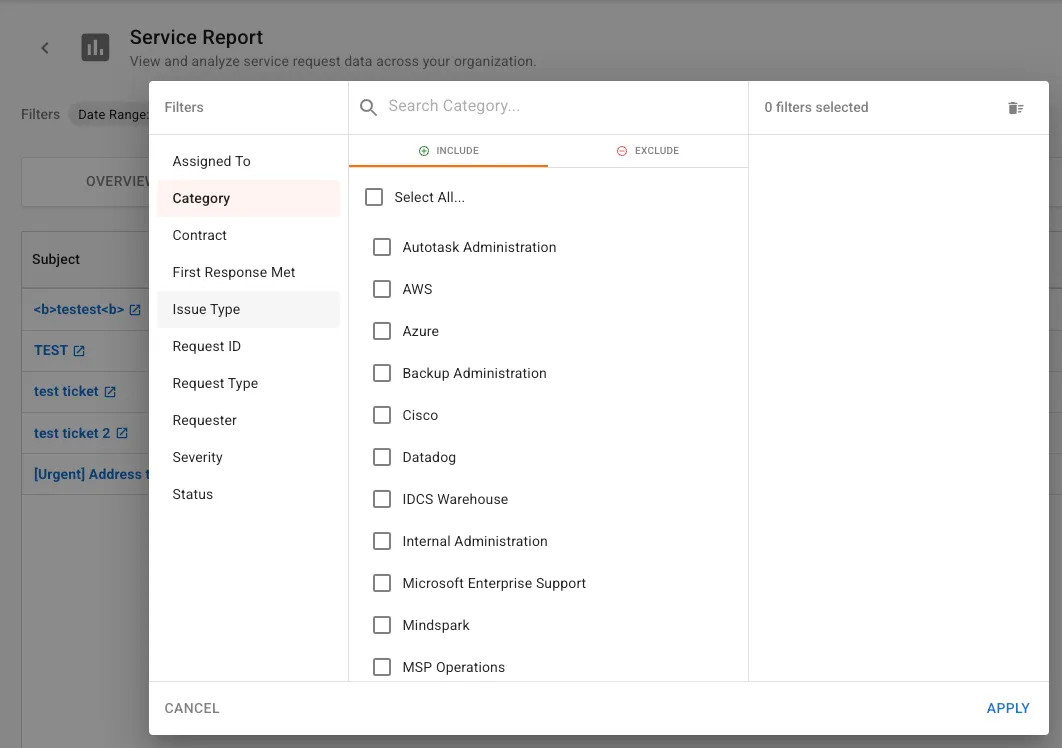
- Review updated metrics.
- Result: Billing analysis can focus on a specific timeframe or customer need.
Use Cases & Scenarios
Primary Use Cases
- Billing reviews
- Customer invoicing discussions
- Service consumption analysis
Best Practices
- Review billable activity alongside consumption metrics from the Overview tab.
Troubleshooting and FAQs
FAQs
Q: Does this page show all requests? A: No. This page focuses on requests containing billable activity.
Key Terms Explained
- Billable Request: A request containing billable work.
- Billable Hours: Hours eligible for invoicing.
- Billable Amount: Currency value associated with billable work.
Related Resources
- OverviewOverview Tab
- Exporting Report DataExporting Report Data