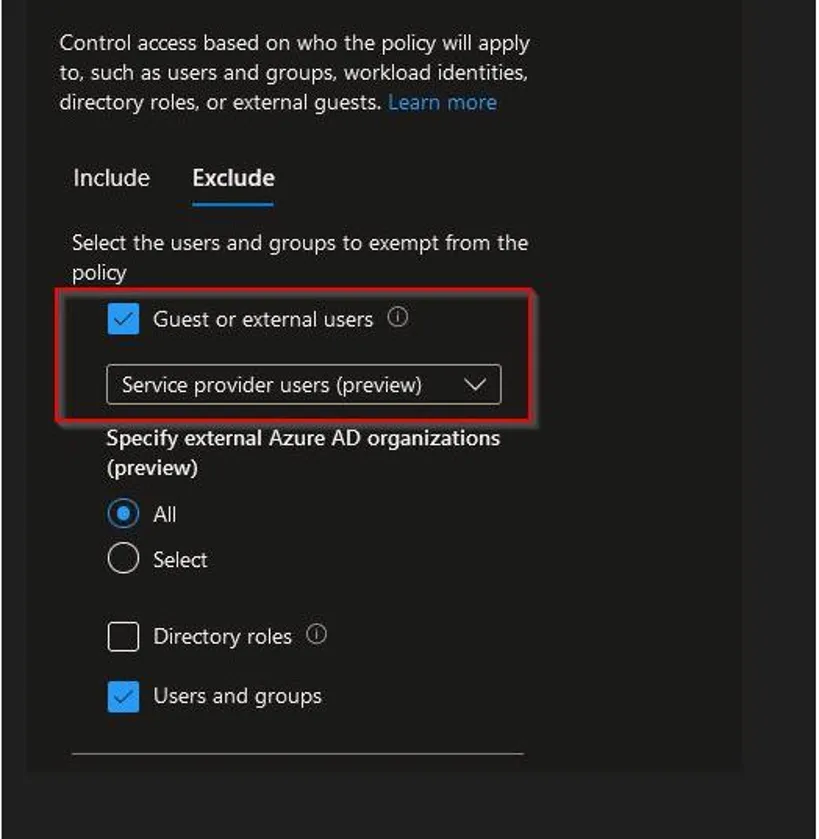
Conditional Access Policy - Exclude Service Provider
2 min
Step One: Review Conditional Access Policy
Review your Azure AD sign-in logs for the failed attempt
The user will appear as “SHI Technician”
Review the Conditional Access Policy details tab
Example:

Step Two: Exclude Guest User from Conditional Access Policy
Go to the Azure Active Directory page

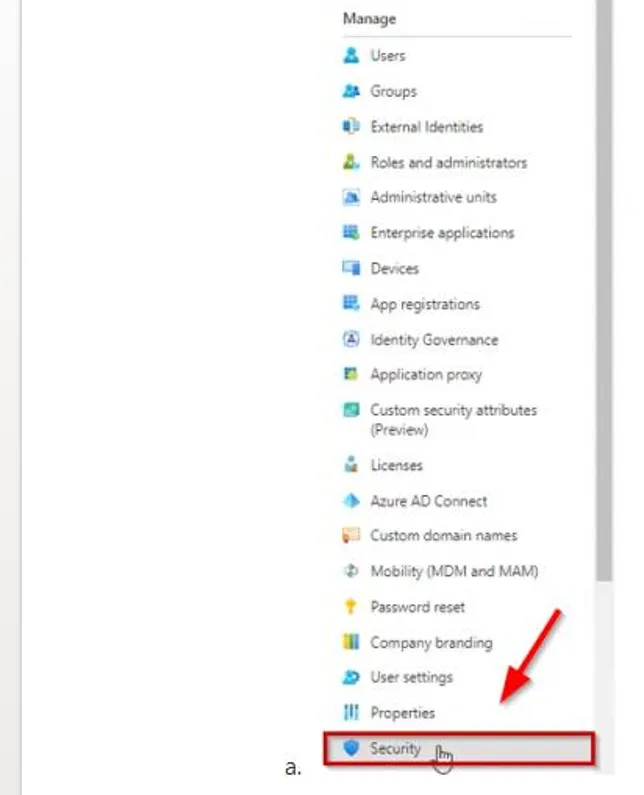
On the left menu, select the Security page
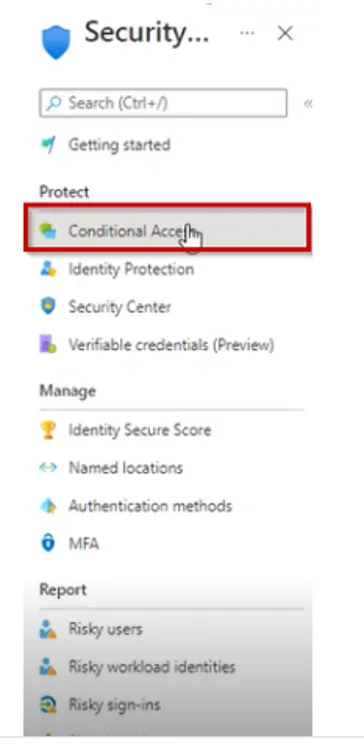
Click on Conditional Access
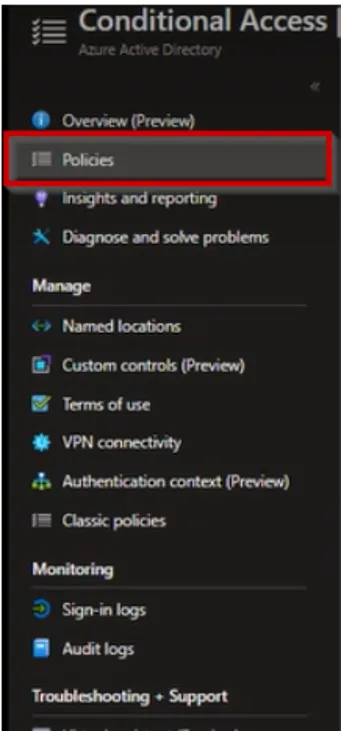
Select Policies in the left menu
Select the conditional access policy you want to exclude a user from
Click on Users or Workload Identities
In the Exclude tab, click on Select Excluded Users
Exclude any guest or external account classified as a “Service Provider User” through your conditional access policy
Save the changes and the user/group selected is now excluded from the conditional access policy