Order Details Page
Order Information Drawer
Feature Overview
The Order Information Drawer provides a quick way to view detailed order information without leaving the current page. Instead of navigating to a separate details screen, users can open an order in a side drawer and review all relevant order data while maintaining context within the Orders page.
Functionality Overview
Users can perform the following actions with the Order Information Drawer:
- View Order Details: Open detailed information for a selected order.
- Review Order Information: See all available order data from within the current page.
- Stay in Context: Continue working from the order list without navigating away.
- Quickly Validate Orders: Verify order information before taking action.
Getting Started
Accessing the Feature
- Navigate to Orders > View Orders.
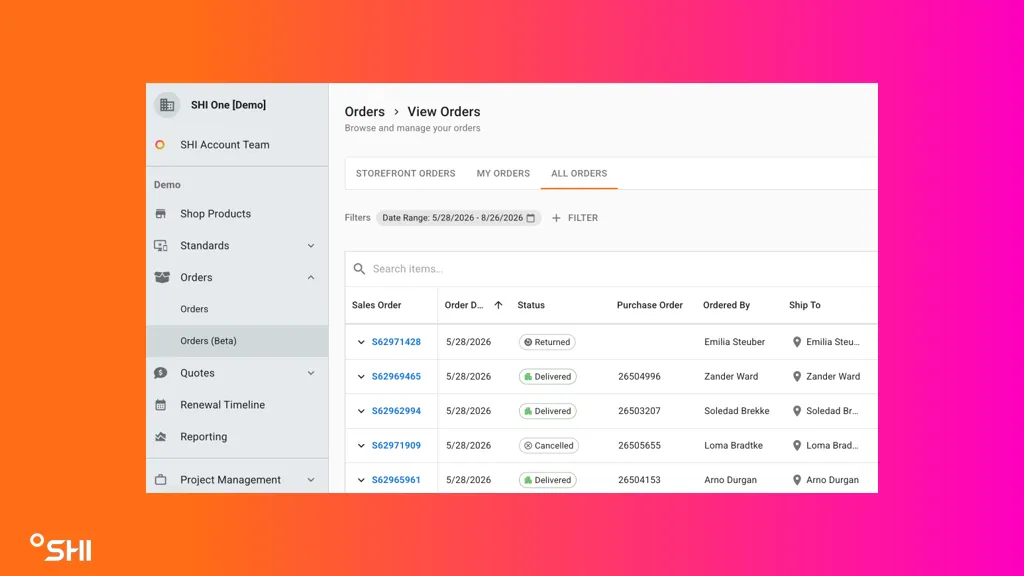
Using Order Information Drawer (Step-by-Step Guides)
1. Opening the Order Information Drawer
- Navigate to the View Orders page.
- Select an order from the order list, which will open the Order Information Drawer.
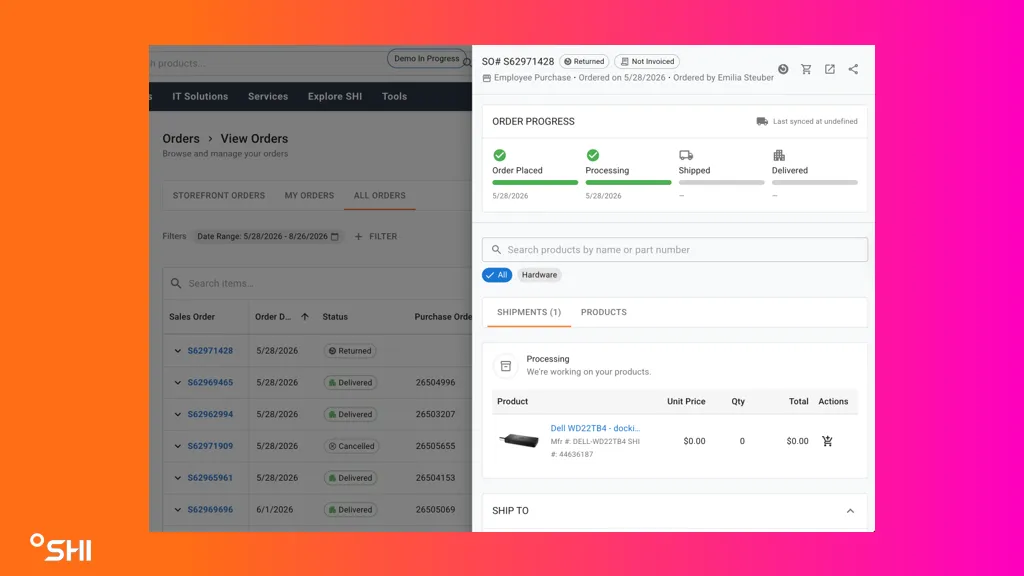
- Result: The Order Information Drawer opens and displays the selected order's details.
2. Reviewing Order Information
- Open the Order Information Drawer.
- Review the order information displayed within the drawer.
- Verify details such as:
- Order number
- Customer information
- Order status
- Products or services
- Transaction details
- Result: All available order information can be reviewed without leaving the order list.
3. Viewing Orders from the Order List
- Use the available search or filter options to locate a specific order.
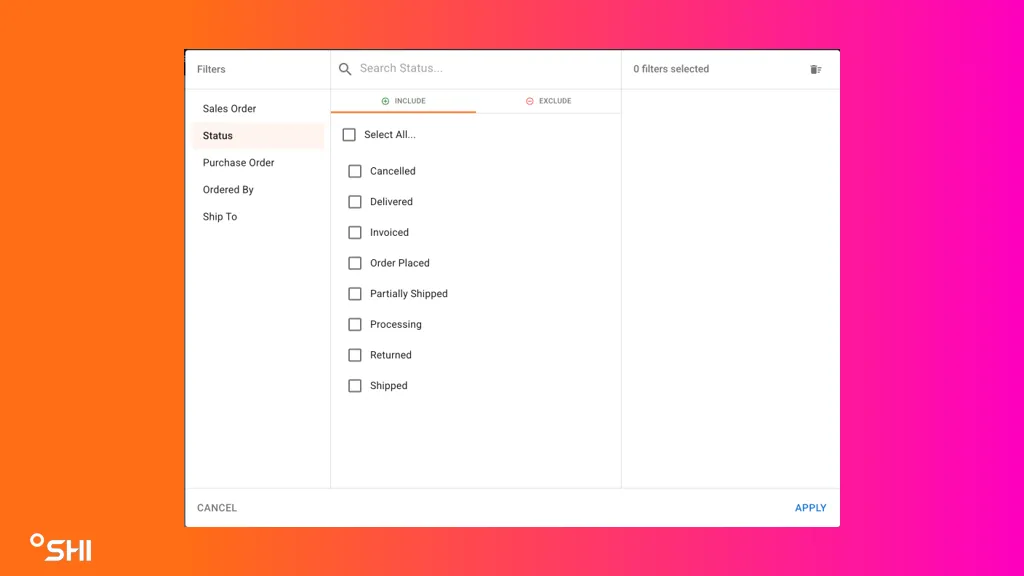
- Select the desired order from the results.
- Open the Order Information Drawer.
- Result: Users can quickly locate and review specific orders.
Use Cases & Scenarios
Primary Use Cases
- Verify order information while remaining on the Orders page.
- Investigate order status and transaction information.
- Quickly compare multiple orders during operational review.
Best Practices
- Use the Order Information Drawer for quick order reviews.
- Apply filters before opening orders to locate the correct record faster.
- Verify key order information before performing downstream actions.
Troubleshooting and FAQs
FAQs
Q: Does the Order Information Drawer contain the same information as the Order Details page? A: Yes. The drawer displays the same underlying order information in a side-panel format.
Q: Can I continue using the Orders page while reviewing an order? A: Yes. The Order Information Drawer allows you to remain on the Orders page while reviewing order details.
Q: Do I need to navigate away from the order list to view order details? A: No. The Order Information Drawer provides access to order details directly from the order list.
Glossary of Terms
- Order: A record representing a customer purchase or transaction.
- Order Information Drawer: A slide-out panel that displays detailed information about a selected order.
- Order List: The main page displaying available orders.
- Order Details: Information associated with the order, such as customer details, order status, products, and transaction data.
Hierarchy or relationships (if applicable): Orders > Order List > Order Information Drawer
Related Resources
- View Orders PageLink: View Orders Page Documentation