Projects
Projects
Feature Overview
Projects helps your team plan, organize, and track technology initiatives in one place within SHI One. Whether you're managing a hardware refresh, deployment, migration, implementation, or broader technology initiative, Projects provides a centralized workspace to keep important details, milestones, and related information together. Projects is part of SHI One's technology deployment experience, helping customers track work as technology moves from planning through execution.
Projects allows users to create projects, enter project details, and connect relevant data sources to provide additional context for the initiative.
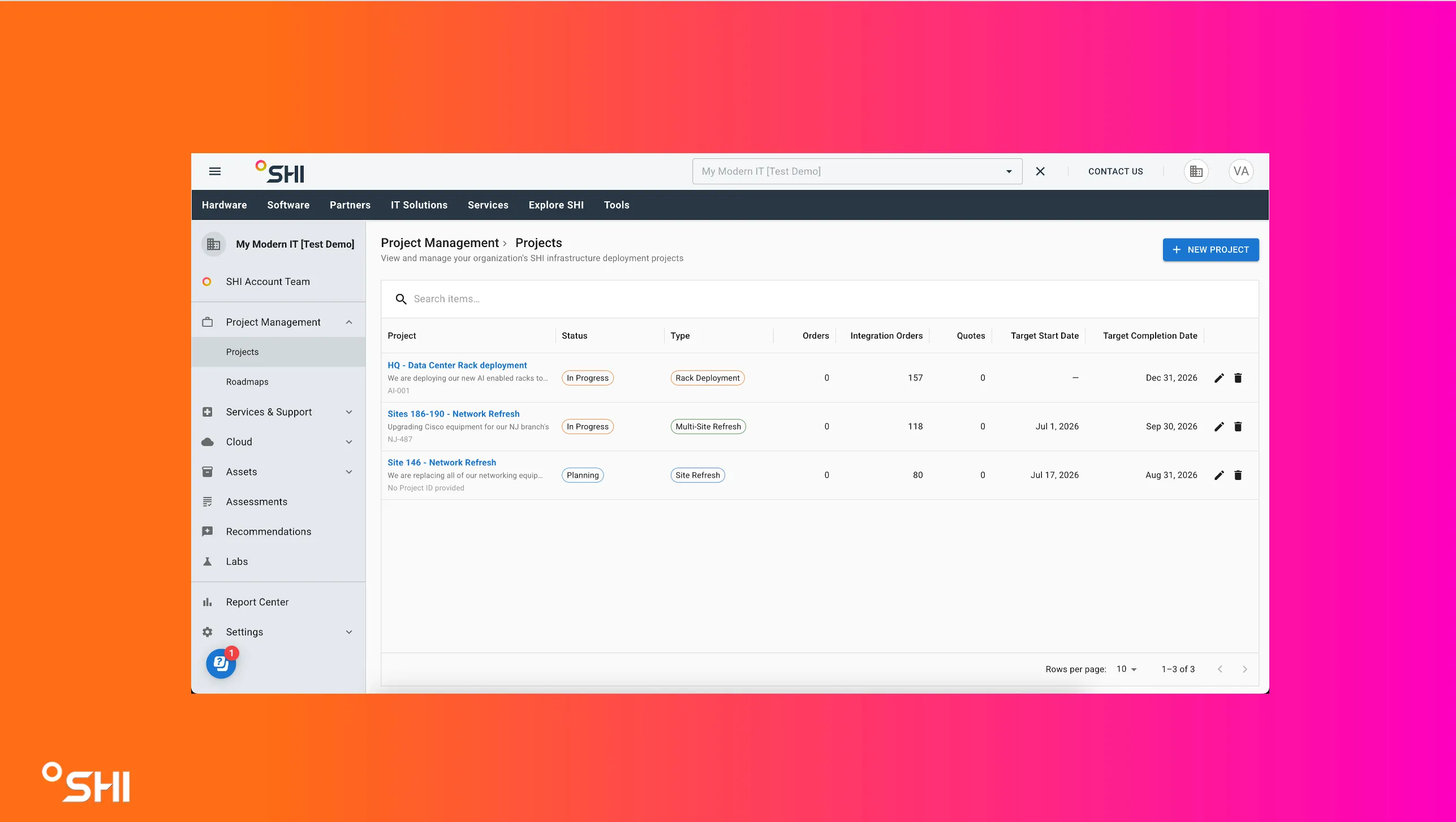
- Centralize project information in a single location.
- Improve visibility into ongoing technology initiatives.
- Organize work across teams and stakeholders.
- Track progress from planning through deployment.
- Maintain a historical record of project activity.
Access Requirements
To use Projects, you must have access to SHI One and the appropriate permissions assigned to your account.
If you do not see Projects within SHI One, contact your SHI representative or platform administrator.
Create a Project
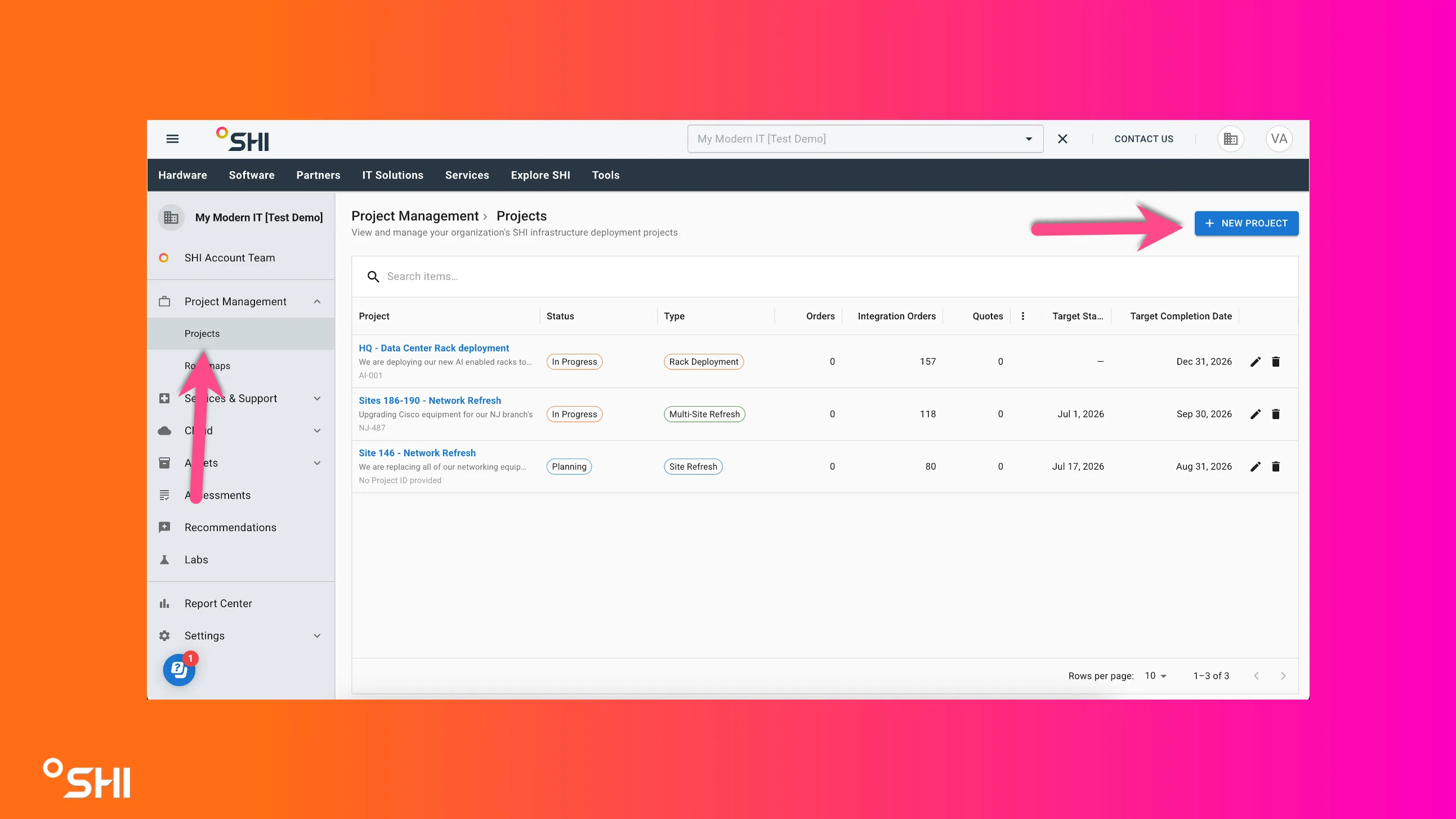
- Navigate to Projects under the Project Management tab.
- Select New Project.
- Enter the project's name and description.
- Add relevant project details.
- Save the project.
Once created, the project becomes available for ongoing management and collaboration.
Link Related Data
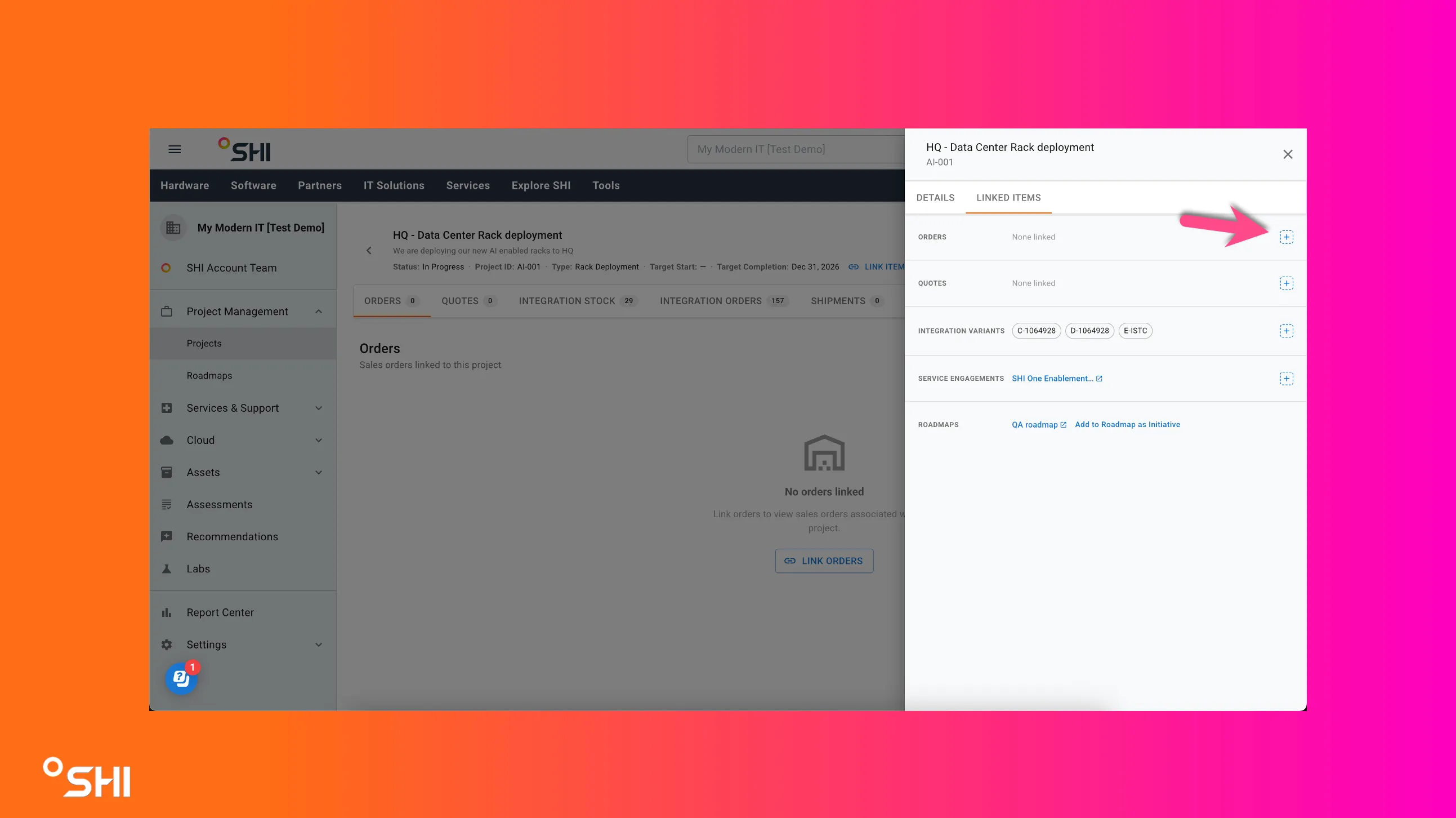
Projects can be enriched by linking relevant records and supporting information. Linking data provides additional context and creates a centralized view of the initiative within SHI One.
You can associate the following items with a project:
- Quotes
- Drop Ship Orders
- Integration Orders
- Assets
- Services
- Attachments
You can link data from the top of the project, or on each individual tab.
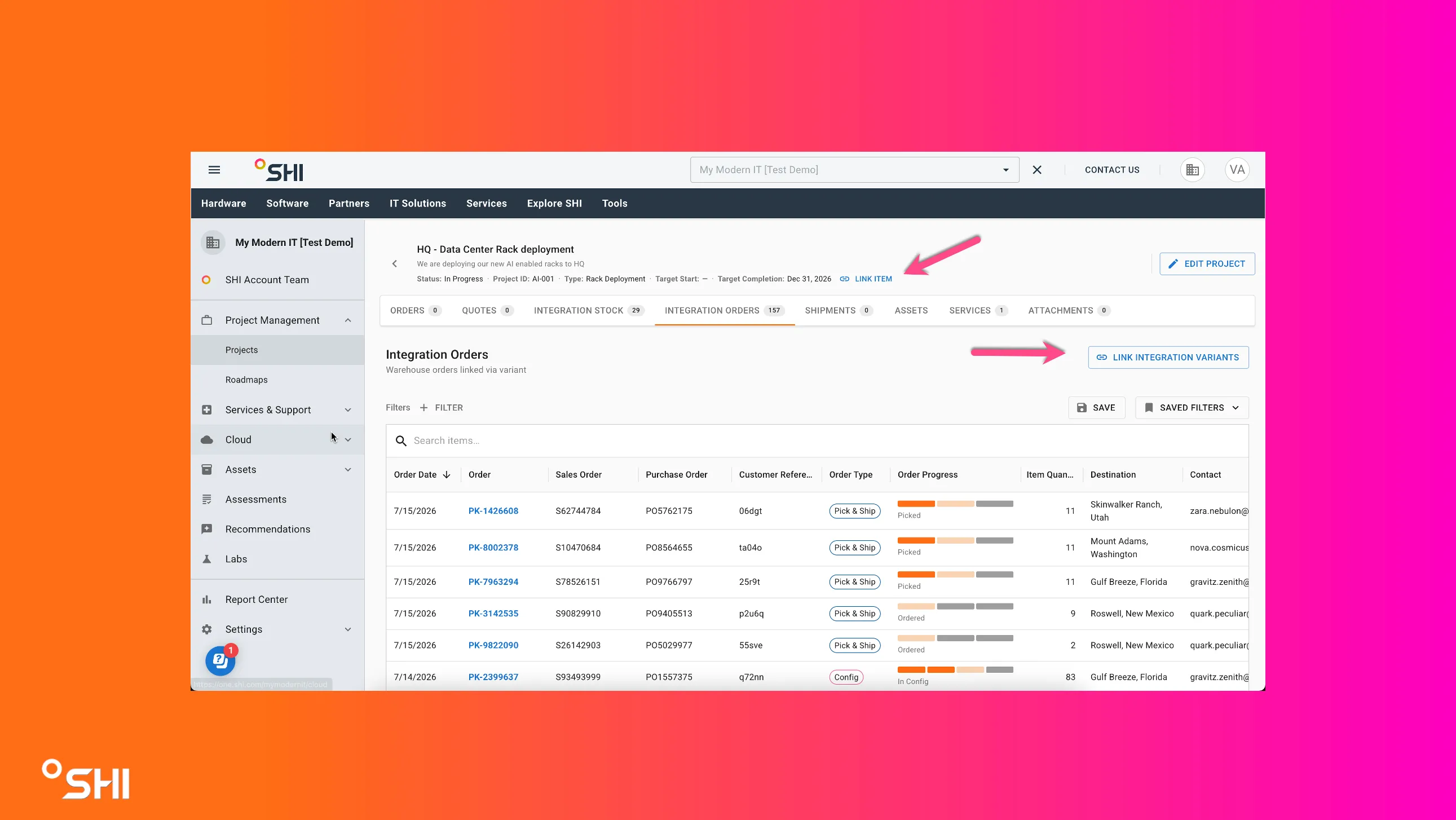
These connections help keep project-related information organized and easily accessible throughout the lifecycle of the project.
Manage a Project
After creating a project, you can:
- Update project information as work progresses.
- Maintain project documentation and notes.
- Track project status and progress.
- Organize related activities within a single project workspace.
- Review project details throughout the lifecycle of the initiative.
Use Cases & Best Practices
Common Use Cases
- Technology refresh projects
- Hardware and software deployments
- Cloud migrations
- Strategic technology initiatives
Best Practices
- Create projects early in the planning phase.
- Use clear project names.
- Keep project details current.
- Link all relevant records and documentation.
- Regularly review project status.
Troubleshooting and FAQs
Common Issues
Projects is not visible
- Confirm you have the required permissions.
- Contact your SHI representative or administrator.
Q: What types of projects can be tracked?
A: Projects can be used to manage a wide variety of technology initiatives, including deployments, migrations, refreshes, upgrades, and strategic programs.
Q: Can I update a project after it has been created?
A: Yes. Project information can be maintained and updated throughout the lifecycle of the initiative.
Q: Why should I use Projects?
A: Projects provides a centralized location to organize information, improve visibility, and manage technology initiatives from planning through completion.
Q: Where can I get help?
A: Contact your SHI representative or your organization's SHI One administrator for additional assistance.
Related Resources
- View Quotes Pagequotes
- View Orders Pageorders
- Getting StartedRoadmaps (Assets)
- Getting StartedRoadmaps (Roadmaps)
- Service EngagementsService Engagements