Integration Center
Feature Overview
The Integration Center in SHI One provides a centralized way to monitor warehouse inventory and warehouse-related orders. From a single experience, you can review stock levels across SHI warehouses, track the progress of active warehouse orders, and understand where assets are within the warehouse lifecycle.The Integration Center helps ensure you have the right devices, in the right place, at the right time—while maintaining visibility into inventory availability, movement, and order progress.
Step-by-Step Workflow
The Integration Center is designed to be intuitive and easy to navigate, with inventory and order activity separated into dedicated tabs.
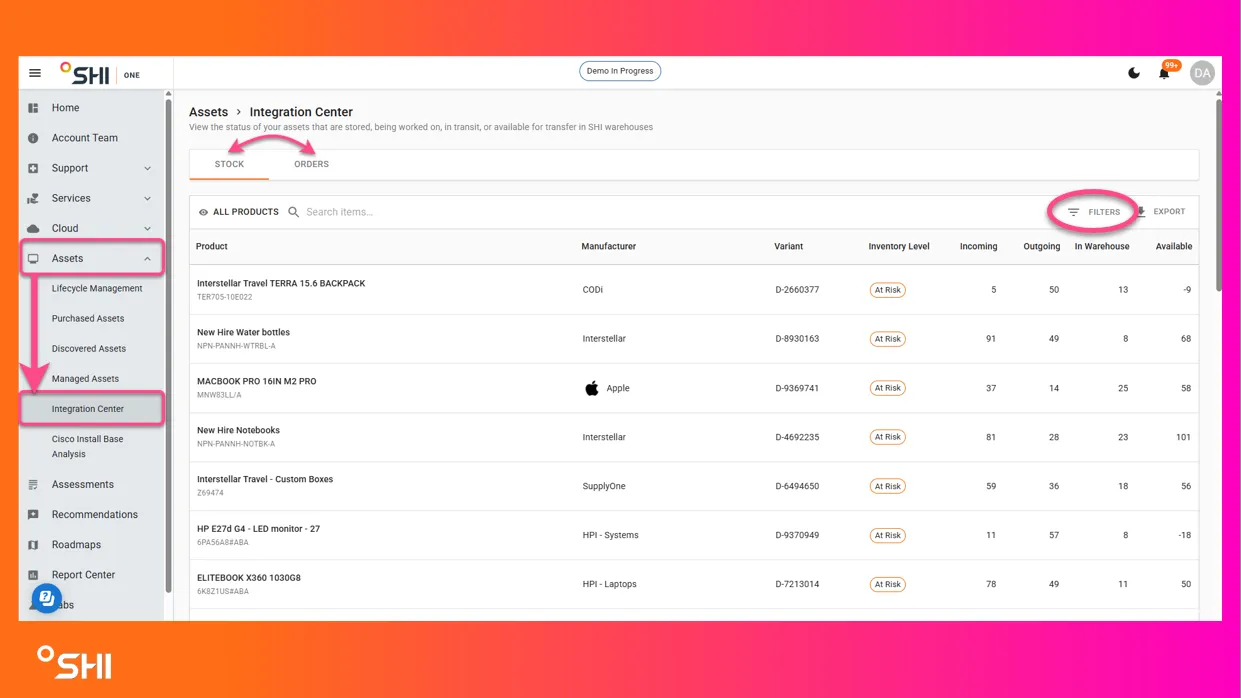
- From the left-side navigation, select Assets.
- Click Integration to open the Integration Center.
- Use the Stock tab to review inventory levels stored in SHI warehouses.
- Switch to the Orders tab to track warehouse orders and asset movement.
- Apply filters or search to focus on specific parts, warehouses, or orders.
Stock Tab
The Stock tab provides visibility into inventory currently associated with SHI warehouses. This view helps you understand what inventory is on hand, what is allocated, and what inventory may require attention.
Understanding Stock Levels
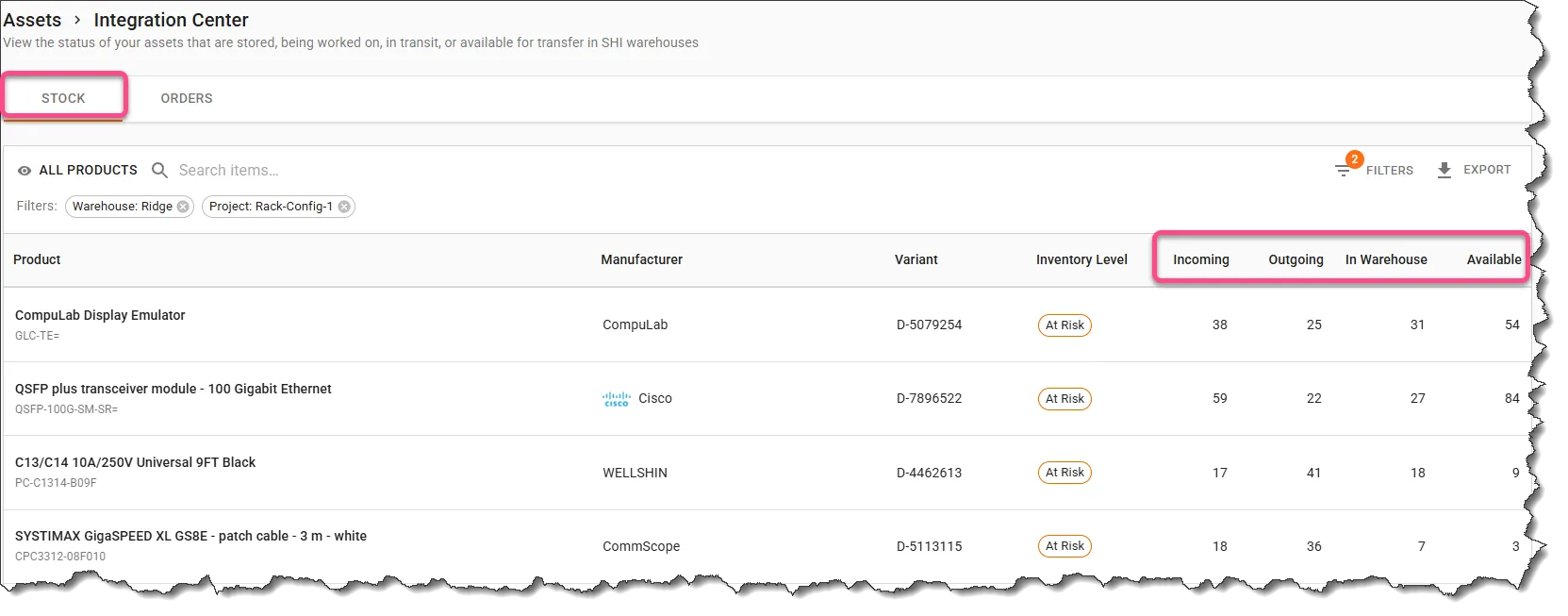
Each part number displays the following inventory indicators:
- Incoming – Assets expected to arrive at a SHI warehouse but not yet received.
- Outgoing – Assets allocated to an order and in the process of leaving the warehouse.
- In Warehouse – Assets physically present at a SHI warehouse.
- Available – Assets that are in the warehouse or incoming and not currently allocated to an order.
At‑Risk Indicator
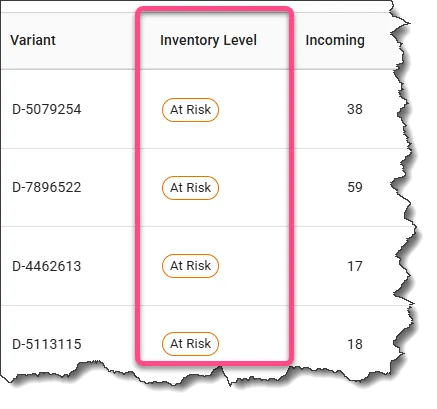
Some inventory rows display an At‑Risk indicator. This highlights inventory that may require review or action, such as limited availability or pending allocation considerations.
At-Risk status will appear if Available quantity < Quantity ordered over the previous 90 days.
Filtering and Searching Stock
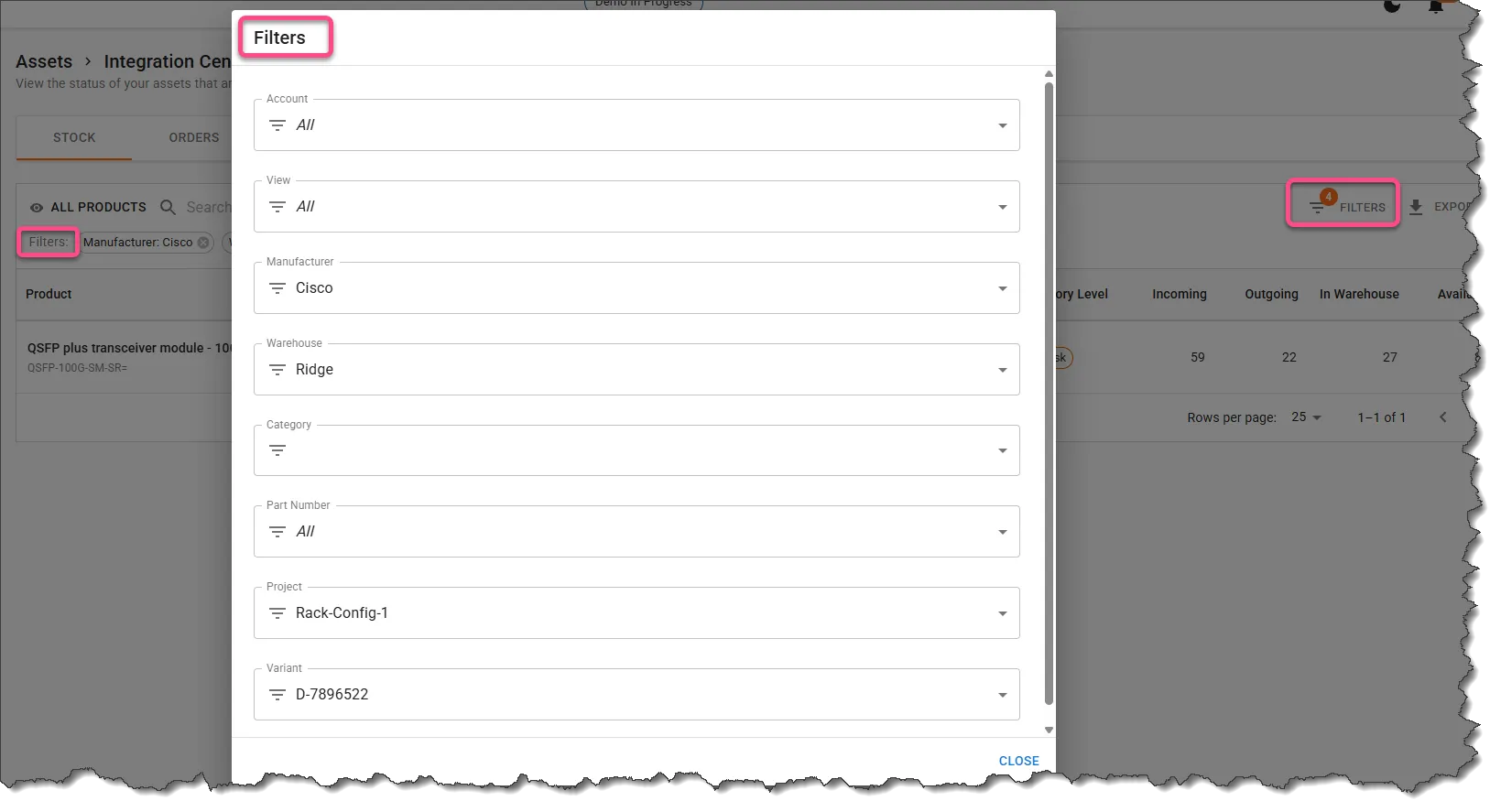
You can filter and search stock using multiple fields, including:
- Part Number
- Warehouse location
- Variant or configuration
Filters can be combined to quickly narrow results and focus on relevant inventory.
Orders Tab
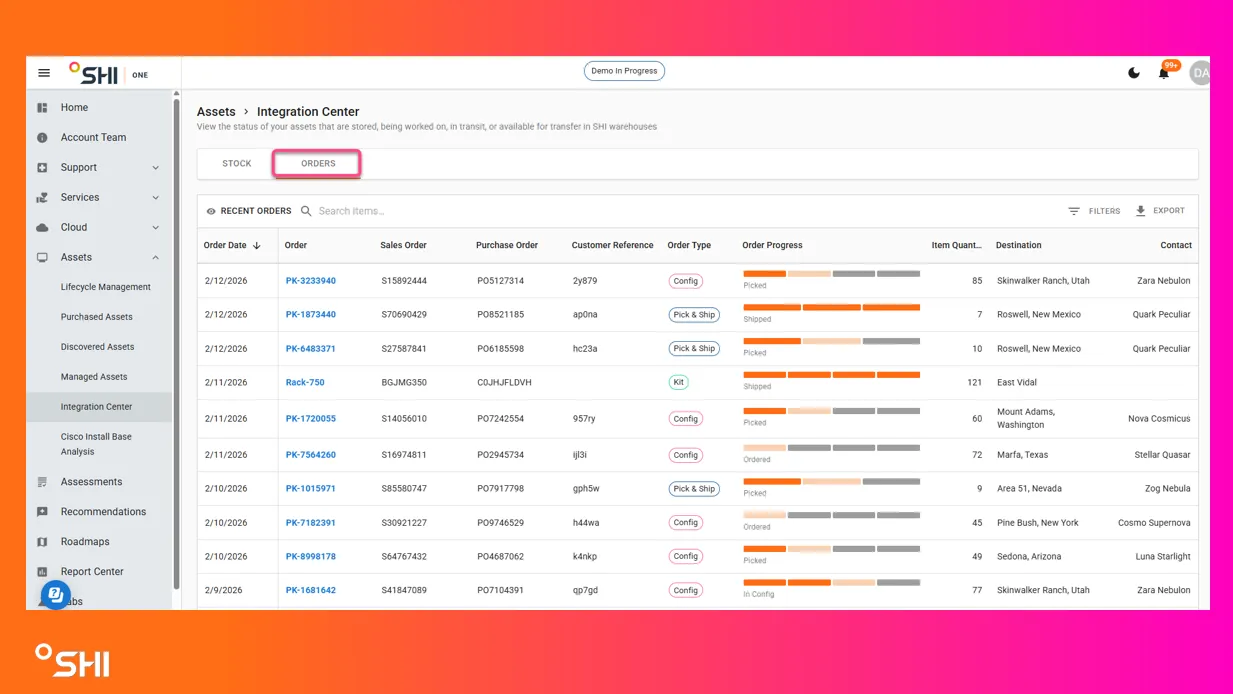
The Orders tab provides visibility into assets moving through SHI warehouse processes. This includes assets that are stored, being worked on, in transit, or available for transfer.
Orders Grid View
The grid view displays summary information for each warehouse order, including:
- Order type, such as:
- Pick‑and‑Ship
- Configuration
- Rack & Stack
- Hardware Lifecycle Management (HLM)
- Project type, when applicable
- Current stage or status
- Destination warehouse or location
- A progress tracker bar showing high‑level order progression
Viewing Order Details
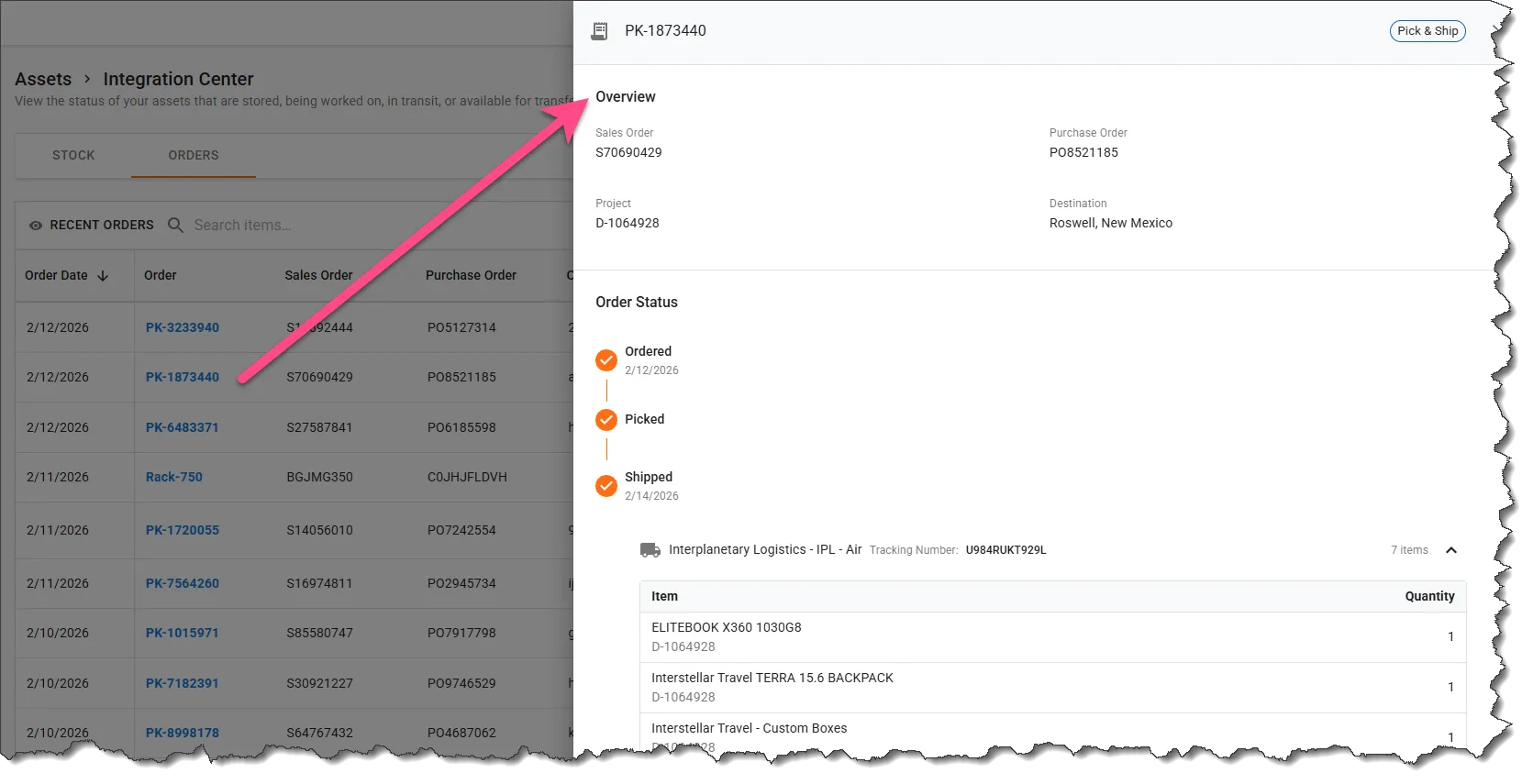
Selecting an order opens a detailed view where you can review:
- A more detailed stage progression
- Individual line items included in the order
- Shipping status and tracking information, when available
Filtering Orders
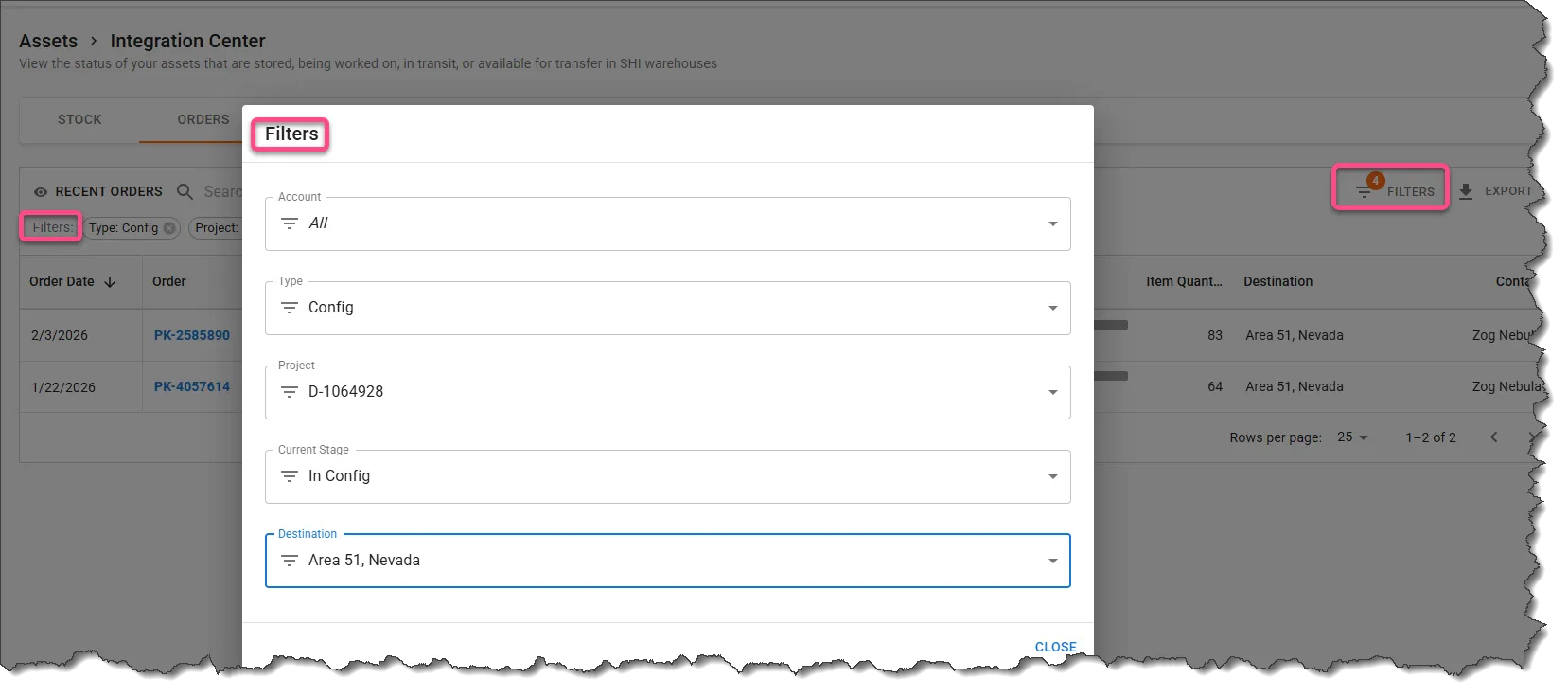
Orders can be filtered using multiple fields, including:
- Order type
- Project type
- Current stage
- Destination
Access & Requirements
Required Permissions
Access to the Integration Center is available when assets are stored in SHI‑managed warehouses. Visibility may vary based on user role and account configuration.
Pre‑requisites
- Assets must be stored or processed through SHI warehouses
- Relevant warehouse services (such as configuration, kitting, or lifecycle services) must be associated with your account
Use Cases & Scenarios
Primary Use Cases
- Monitoring inventory levels to support deployment or refresh planning
- Tracking configuration, kitting, or rack‑and‑stack orders
- Following asset movement between warehouses or delivery locations
- Confirming shipment status and order progress
Best Practices
- Regularly review the Available inventory count to plan upcoming needs
- Use filters to isolate critical inventory or high‑priority orders
- Check order detail views for the most accurate stage and shipping information
FAQs
How often is inventory updated? Inventory and order information is refreshed regularly to provide timely visibility into warehouse activity.
Warehouse & Integration Center Summary
The Integration Center provides a single location to monitor SHI warehouse inventory and track warehouse orders. With clear stock visibility, detailed order tracking, and flexible filtering, you can confidently manage assets throughout their warehouse lifecycle.
Need Help?
If you have questions or need help understanding your Warehouse Stock and Orders, please reach out to your SHI Account Team or Support Representative.