Okta
Overview
Okta is a cloud-based identity and access management (IAM) platform that enables secure, single sign-on (SSO) access to applications and services using one set of credentials.
Integration Guide
The goal of this is to provide a comprehensive guide allowing for a successful setup and integration of Okta as an identity provider to SHI One. If using Okta as an IdP is a requirement for your company to onboard with SHI One, please familiarize yourself with this documentation and confirm the requirements and permissions necessary and then reach out to your Account Executive or SHI representative to start the process.
Prerequisites
Required Access & Permissions:
- Administrative access to their Okta tenant
- Ability to create new applications in Okta
- Ability to configure application settings and assignments
To setup the Okta integration:
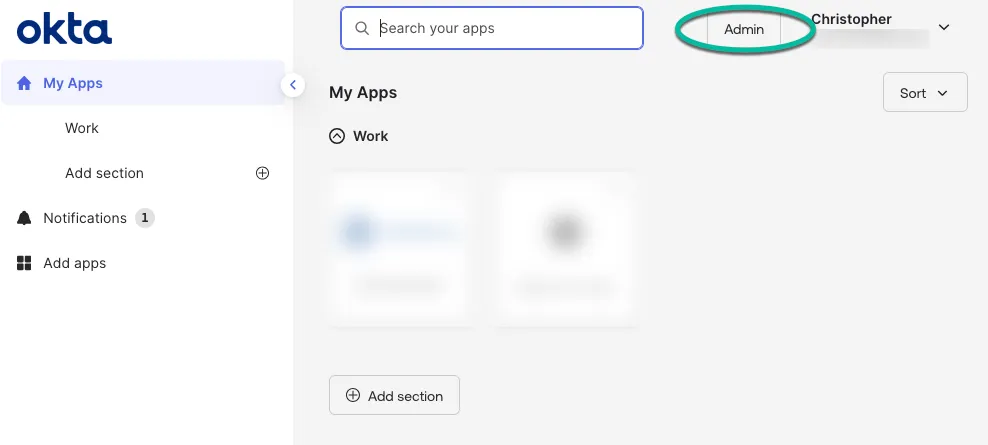
- Login to the Okta console as an admin user.
- Enter the admin console of Okta.
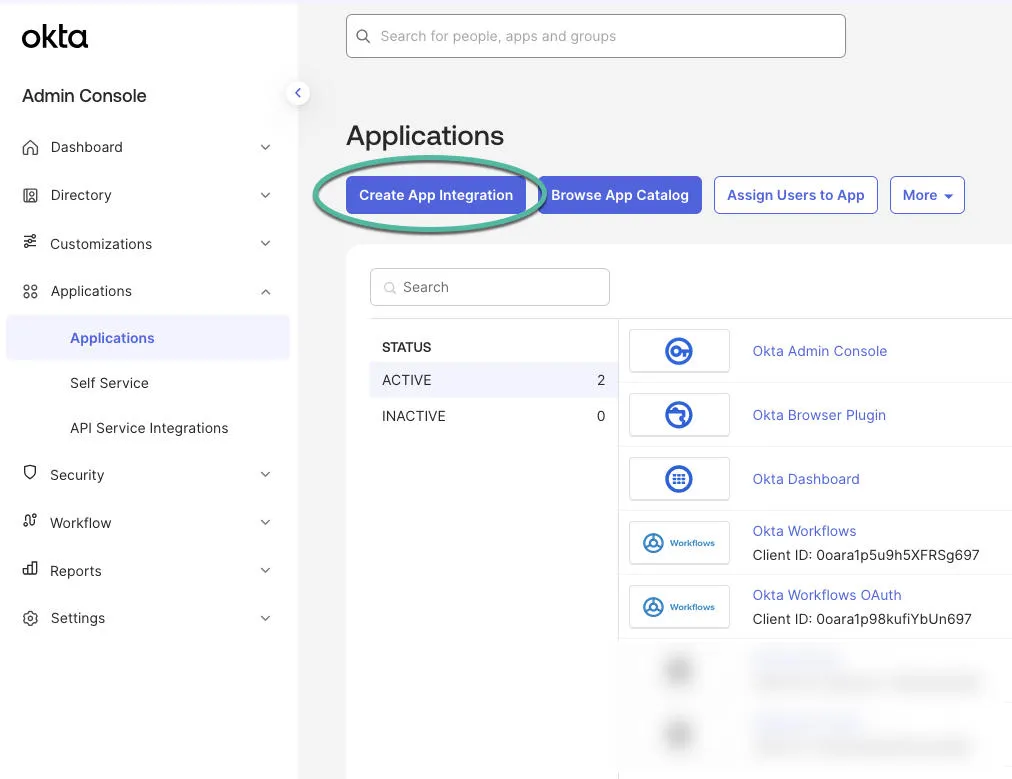
- Open the Applications menu and click Create App Integration.
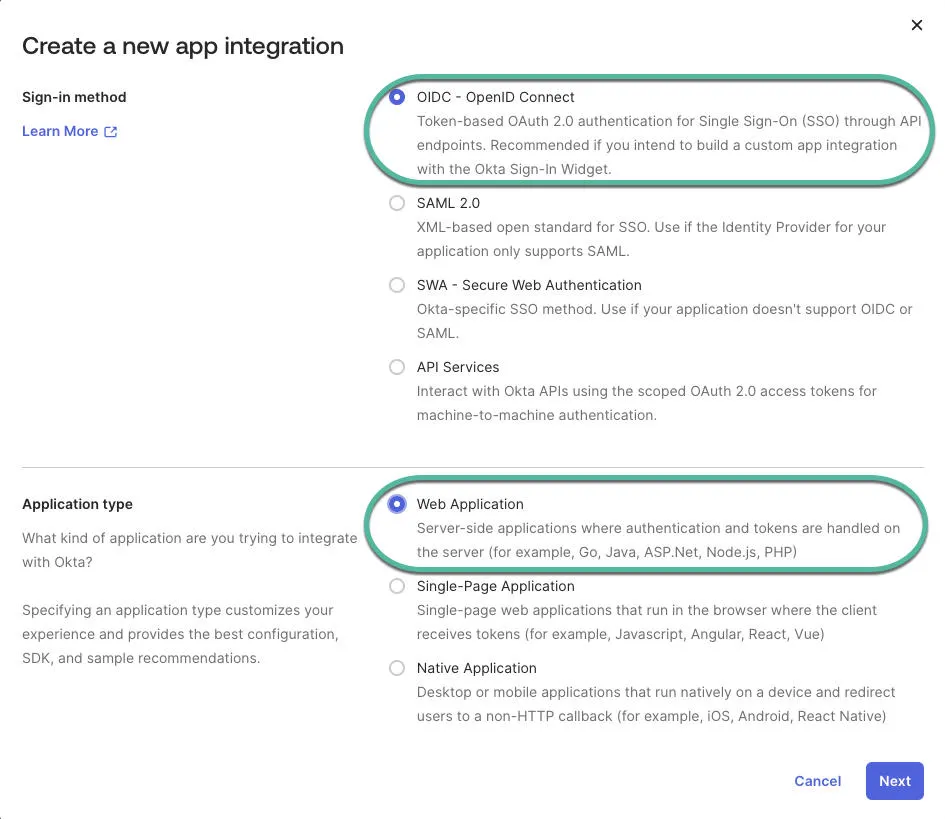
- For the sign-in method select OIDC.
- For the application type, select Web Application.
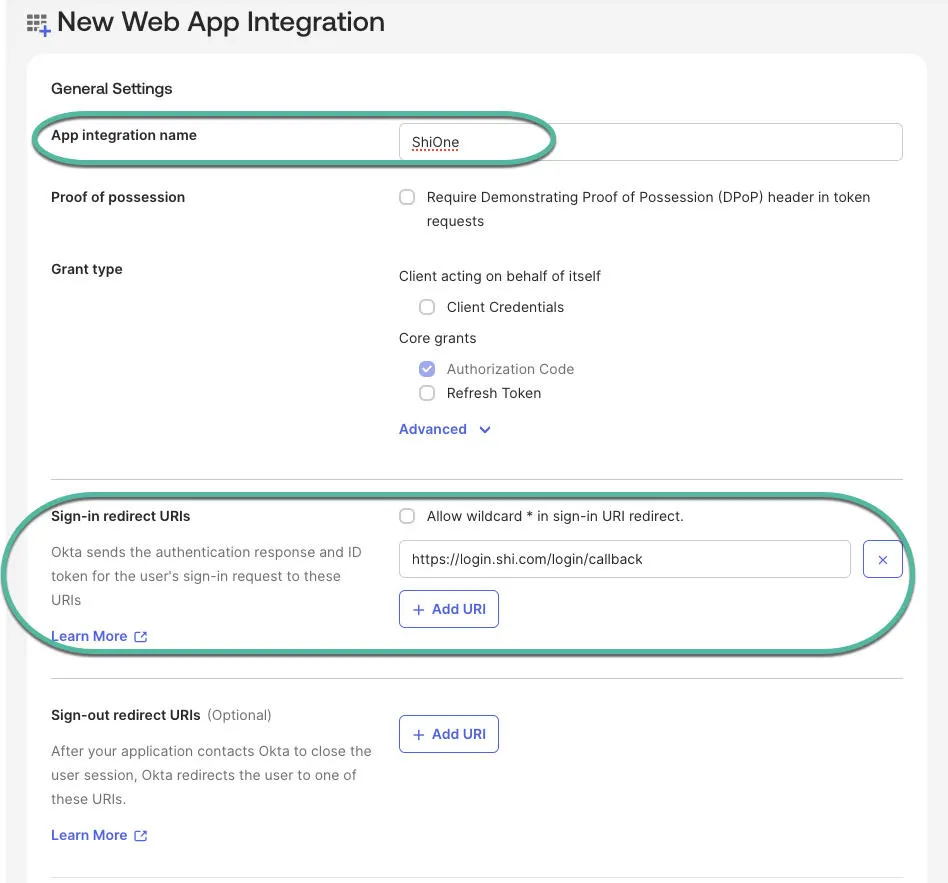
- Once in the new application setup, most of the default settings will remain. The following will need to be changed:
- Fill out the App integration name. We recommend "SHI One" especially if your company wants to leverage the application dashboard built into Okta for your users.
- Enter https://login.shi.com/login/callback into the Sign-in redirect URIs field.
- The Sign-out redirect URIs field can be blank. If you need to remove a default, click on the X.
- Under Assignments, select your desired option. You will have to determine this setting based on your Okta setup and who needs access to SHI One. It can allow everyone in your Okta IdP access or certain groups of users which you will have to setup and is outside the scope of this document.
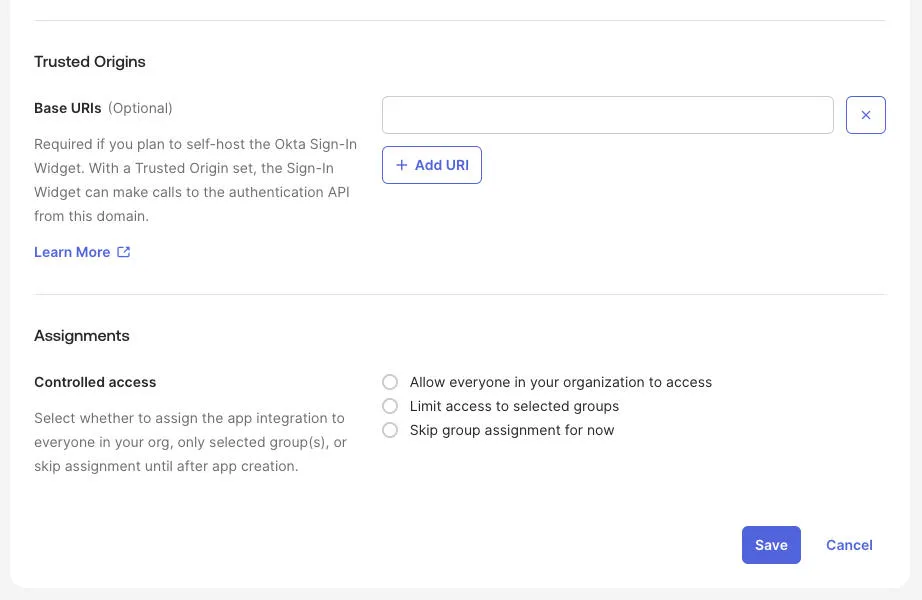
- Once, you're finished, click Save.
- Once the application is saved, click Edit in General Settings.
- Scroll down to the LOGIN section.
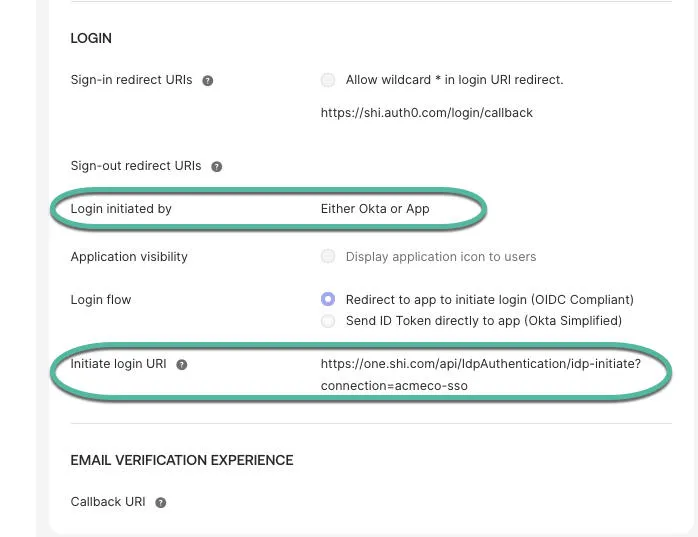
- Update the Login initiated by option to Either Okta or App.
- Update the Initiate login URI to: https://one.shi.com/api/IdpAuthentication/idp-initiate?connection=COMPANYNAME-sso
- Note: You will need to provide what you put into the end of this URL to SHI. There can be no underscores, just your company name with "-sso" appended to it. For example, "acmeco-sso". After saving, the settings should look like the screenshot below (with "acmeco" replaced with your company name or identifier).
- Lastly, save your changes.
Requesting from SHI
We have a secure mailbox setup for the items you will need to provide to complete the integration. Please send an encrypted email with a .txt file attached containing the four items below.
If you need help sending an encrypted email or have any questions, feel free to contact the same email address.
Email: [email protected]
The information that you will need to provide SHI to complete the integration are:
- The company name or identifier you entered for the Initiate login URI above. Providing the whole URI is preferred for validation.
- The Client ID of the application.
- The secret of the application.
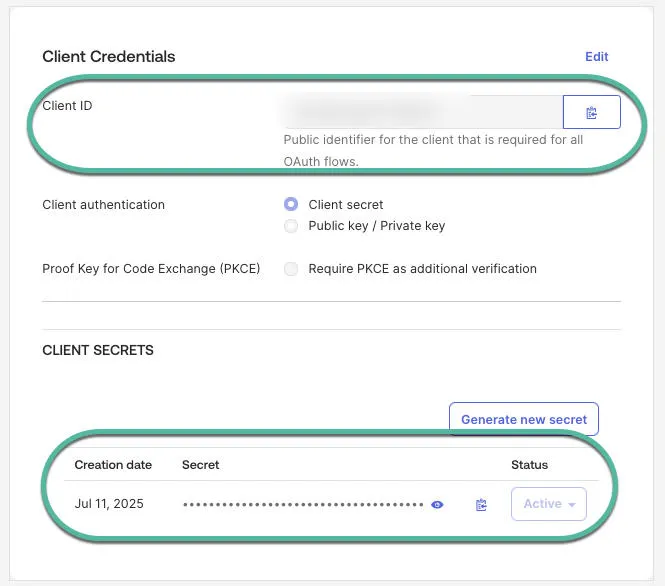
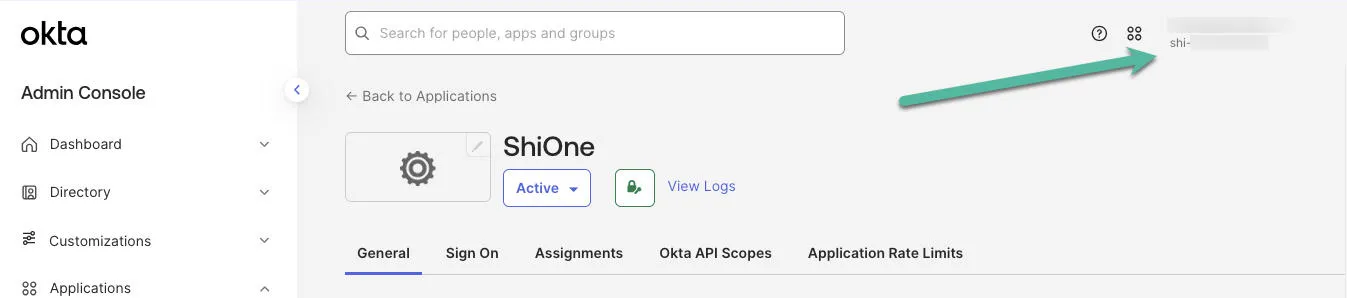
- The Okta domain from the admin console (see screenshot below). It will be in the mydomain.okta.com format.
Post Submission Information
That should be all that is needed to complete the integration. Once this information is provided to SHI, we will complete the integration on our side and ask users to test.
At the current time SHI only supports IdP initiated login so if your organization is leveraging the Okta Apps dashboard, be sure to add this app to it for your users. If not, users will need to use the Initiate login URI. It may be preferable for your organization to map an internal DNS entry to the Initiate login URI but that is optional. We recommend having users log in via the Okta apps dashboard or having them bookmark the Initiate login URI.