Order Approvals How-To Guide
6 min
Feature Overview
Use Order Approvals to review and approve or deny orders that require your authorization.
Getting Started
Access Order Approvals
- Open View Orders.
- Select Pending Approvals.
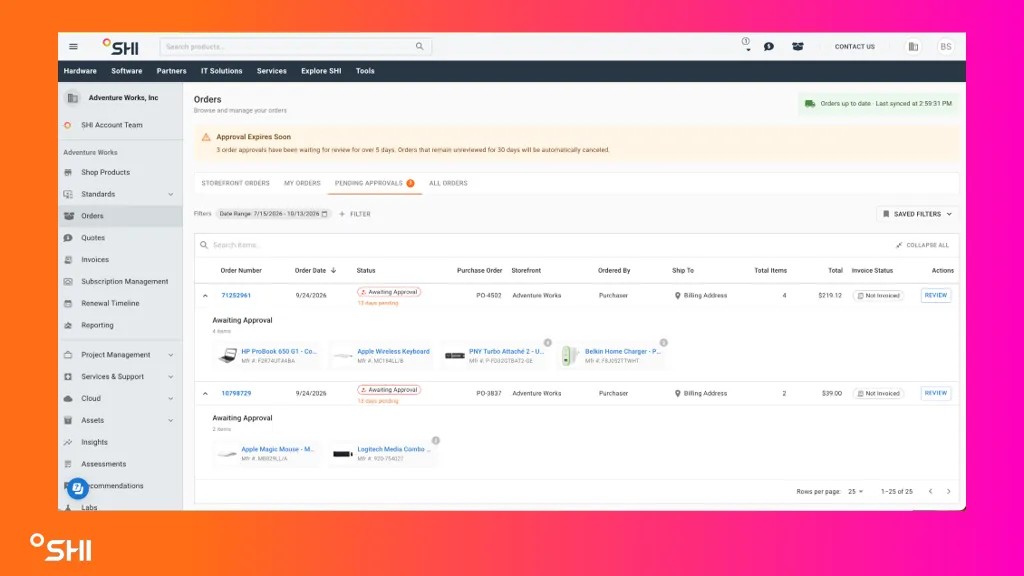
You can also access Order Approvals from the account menu or Tools menu.
Review Pending Approvals
- Open Pending Approvals.
- Review orders assigned to you.
- Use search to find a specific Web Order ID or requester.
- Expand an order to preview products.
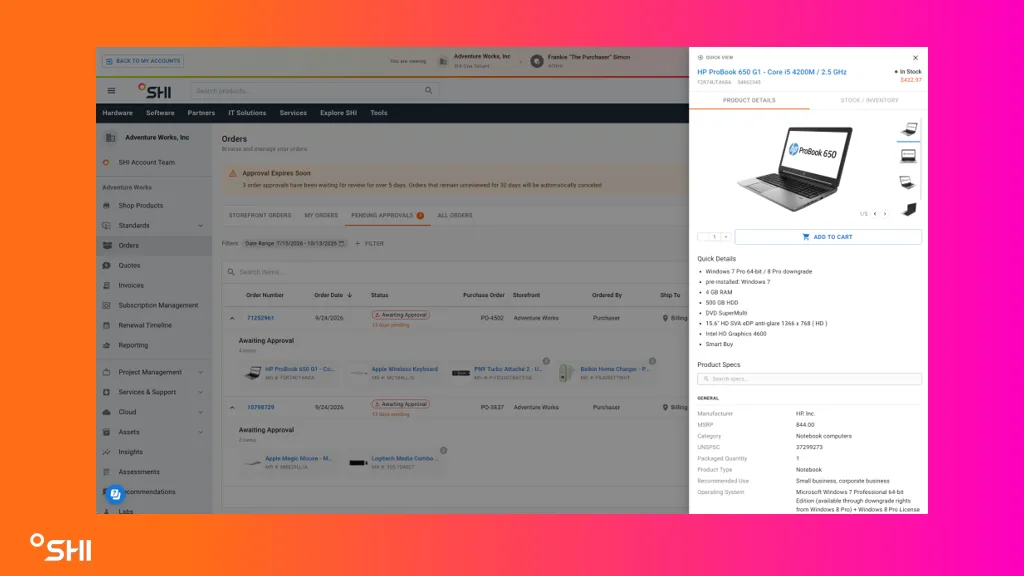
View Product Details
- Select a product name.
- Review product and inventory information in Product Quick View.
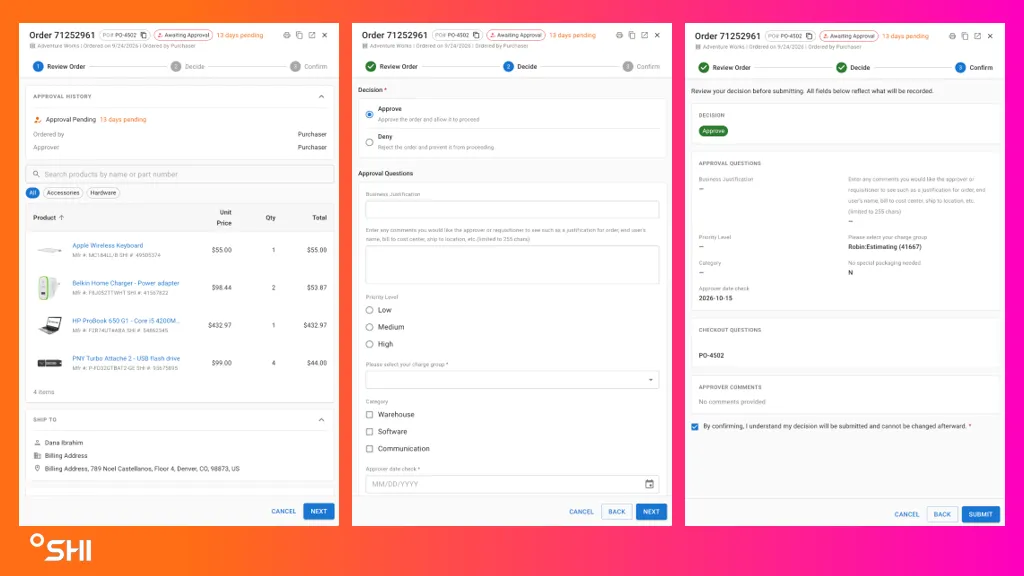
Review an Order
- Select Review for an order.
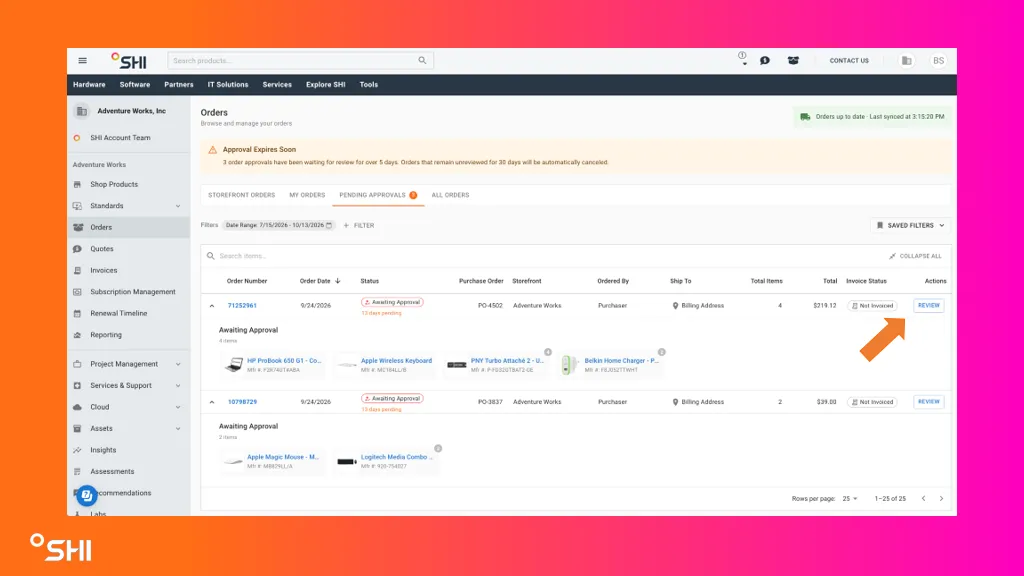
- Review:
- Order information
- Products and pricing
- Checkout answers
- Approval history
- Shipping and billing details
- Select Next to continue.
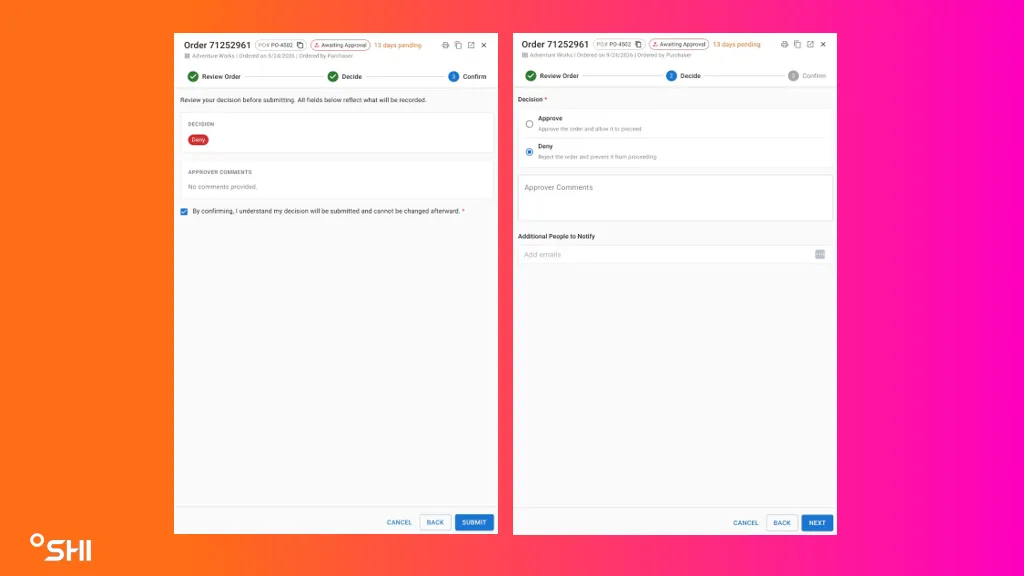
Approve an Order
- Complete any required approver questions.
- Select Approve.
- Enter comments if needed.
- Add additional notification recipients if desired.
- Select Next.
- Review the summary.
- Confirm the acknowledgment and submit.
- Result: The order is approved and removed from the Pending Approvals queue.
Deny an Order
- Complete any required approver questions.
- Select Deny.
- Enter a reason for the denial.
- Add optional notification recipients.
- Review the summary.
- Confirm the acknowledgment and submit.
- Result: The order is denied and removed from the Pending Approvals queue.