How To Switch Storefronts
Use these guides to change your storefront or tenant context and review any resulting cart changes.
- Switch to another storefront
- Review cart changes after switching storefronts
- Switch to the tenant level
- Select a storefront from the tenant level
How to switch to another storefront
For: Anyone with access to multiple storefronts.Steps:
- Select the arrows next to the tenant and storefront names.
- Select the storefront you want to use.
- If a cart warning appears, review the products that may be affected.
- Select Switch storefront.
- If your cart changes, review the cart update notification.
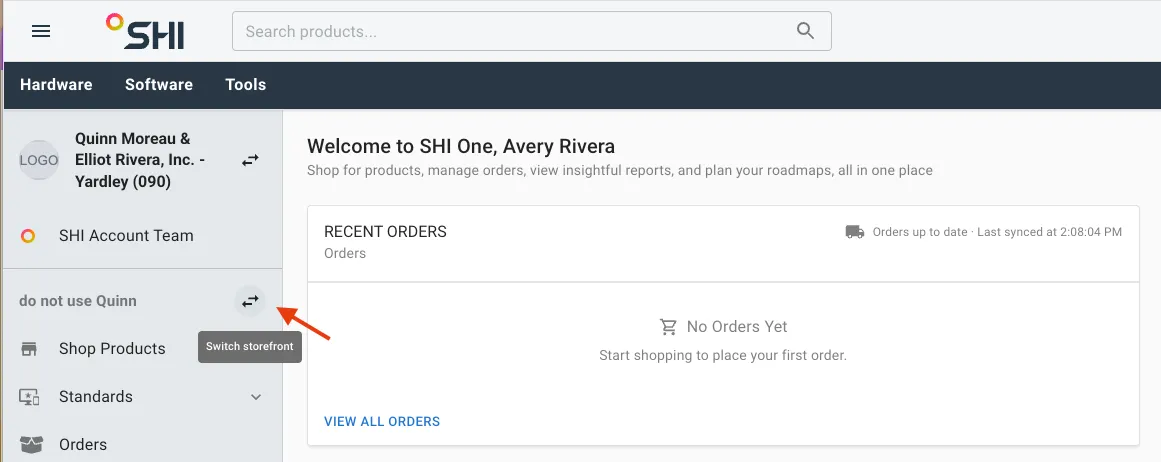
Result: SHI One changes your active storefront. If the storefront uses a different catalog, SHI One checks your cart against that catalog. Prices may change, and products that are not offered through the storefront are removed.
If the switch changes your cart, SHI One displays a notification summarizing the changes.
How to review cart changes after switching storefronts
Steps:
- Switch to another storefront.
- Review the cart update notification if it appears.
- Select View Cart.
- Review the products remaining in your cart.
- Review any updated pricing.
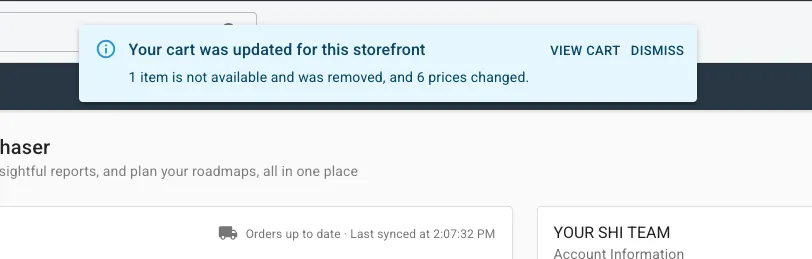
Result: Your cart shows the products available through the selected storefront and any applicable pricing changes. Products that are unavailable through the selected storefront are removed.
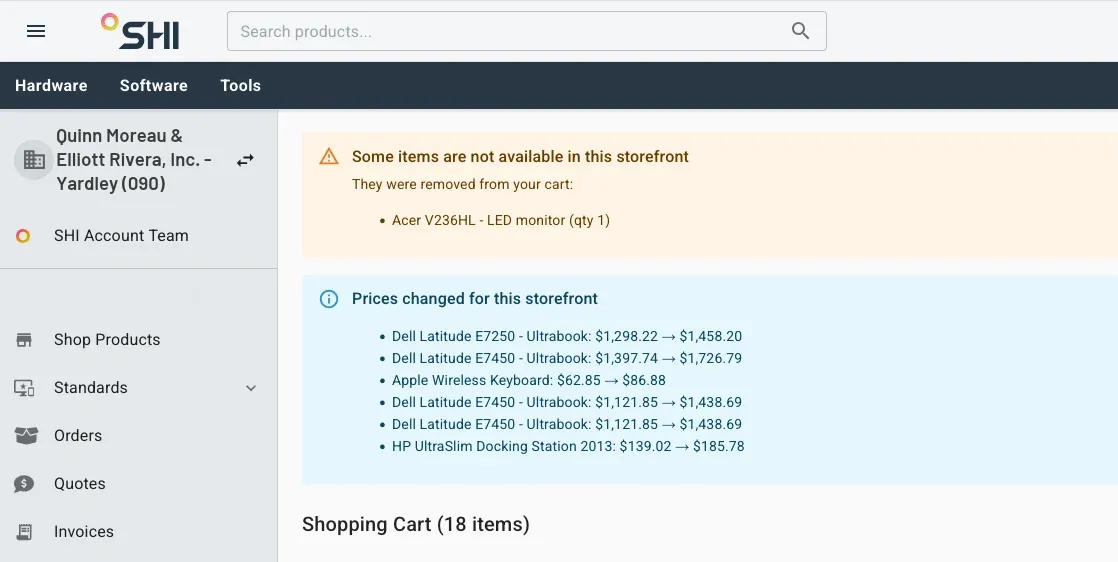
Note: The cart update notification only appears if switching storefronts results in changes to your cart.
How to switch to the tenant level
For: Anyone with access to multiple storefronts.
Steps:
- Select the arrows next to the tenant and storefront names.
- Select the tenant without selecting a storefront.
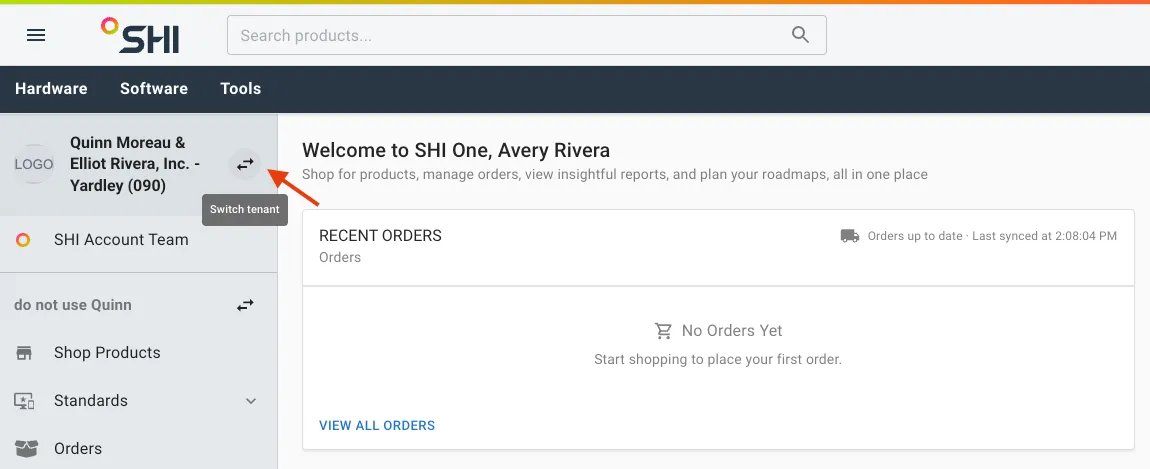
Result: SHI One changes to the tenant-level context. Your cart remains saved but is not accessible from the tenant-level interface.
Storefront-specific settings are also unavailable until you select a storefront.
How to select a storefront from the tenant level
For: Anyone with access to multiple storefronts.
Steps:
- Select the arrows next to the tenant and storefront names.
- Select the storefront you want to use.
- If the cart warning appears, review the potential changes.
- Select Switch storefront.
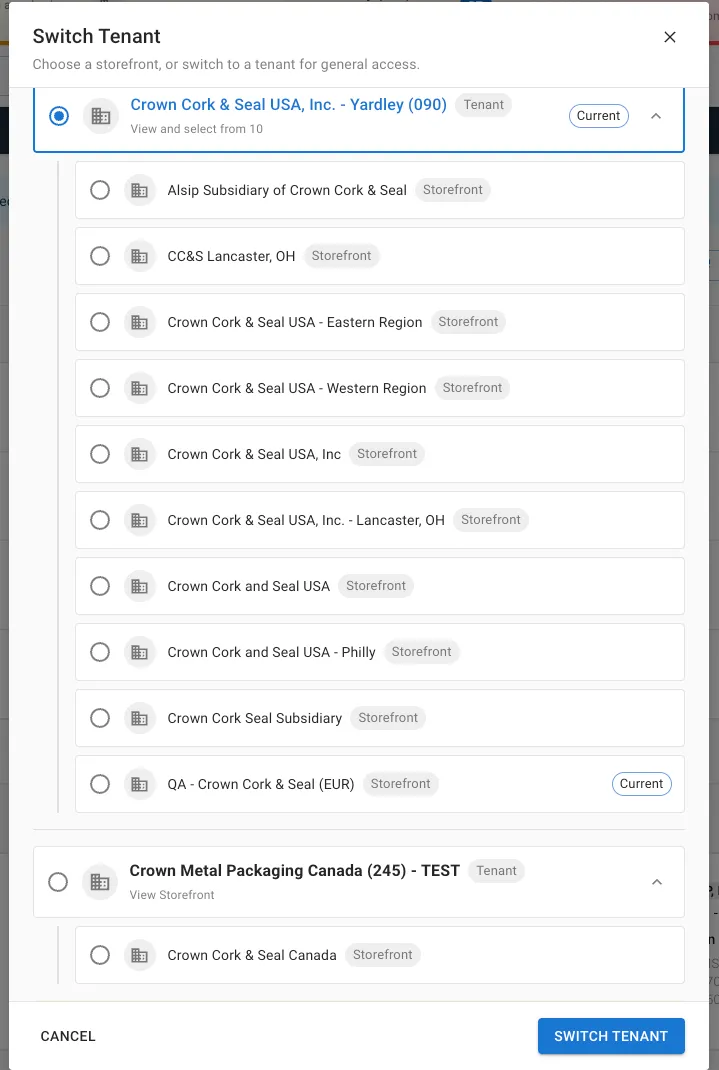
Result: SHI One changes from the tenant-level context to the selected storefront, making the storefront-specific experience available again. If the selection requires your cart to move to a different catalog, SHI One checks the cart against that catalog.