Storefront Switcher
Feature Overview
The Storefront Switcher lets you change the storefront you are working in within SHI One. When you switch to a storefront that uses a different catalog, SHI One evaluates your existing cart against the selected storefront's catalog before completing the switch.
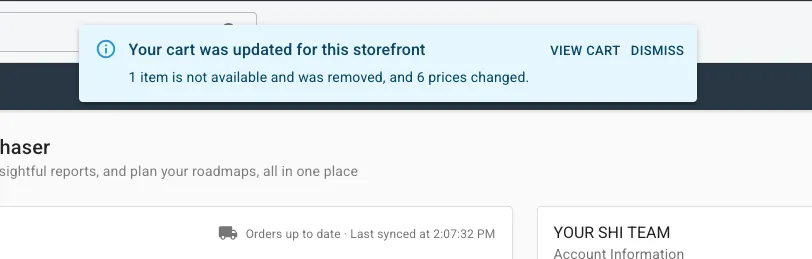
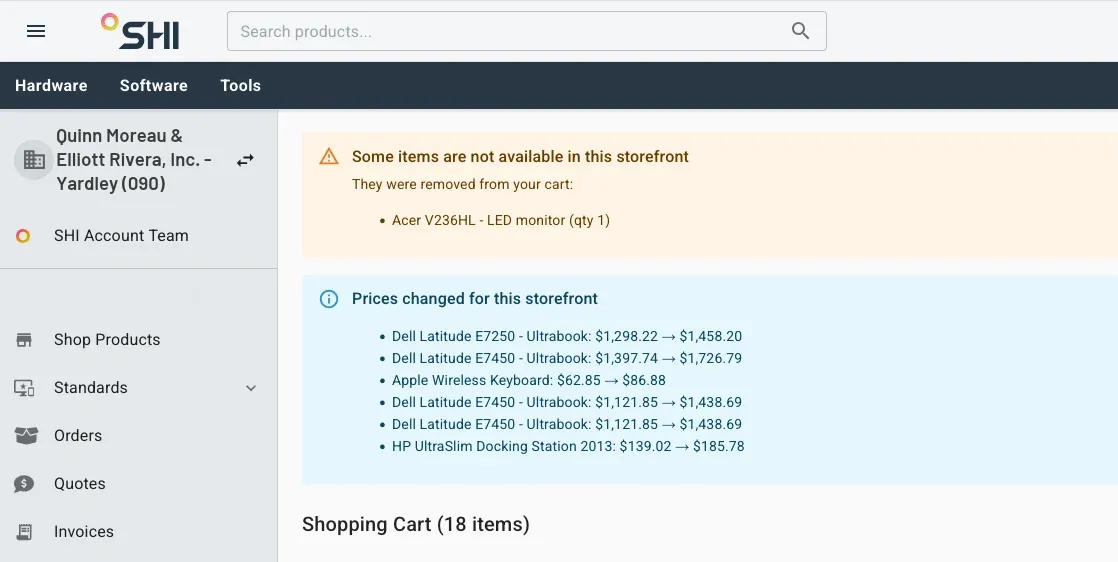
If products in your cart are unavailable in the new catalog, those products are removed. Prices can also change based on the catalog associated with the selected storefront. After the switch, SHI One provides a notification summarizing changes to the cart.
The switcher also supports working at the tenant level without selecting a storefront. In that state, storefront-specific settings are not available.
Getting Here
The Storefront Switcher is available to all users who have access to multiple storefronts.
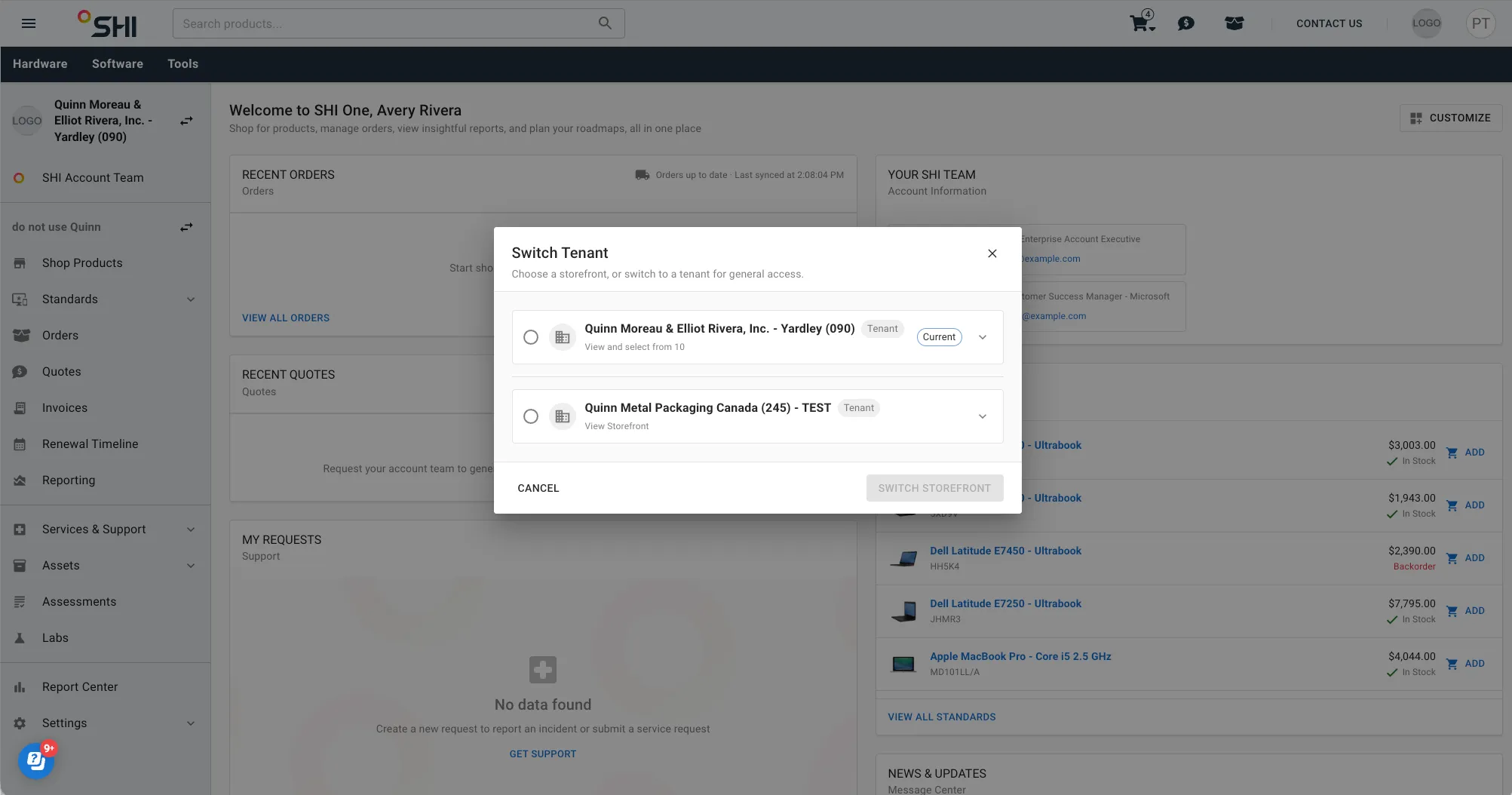
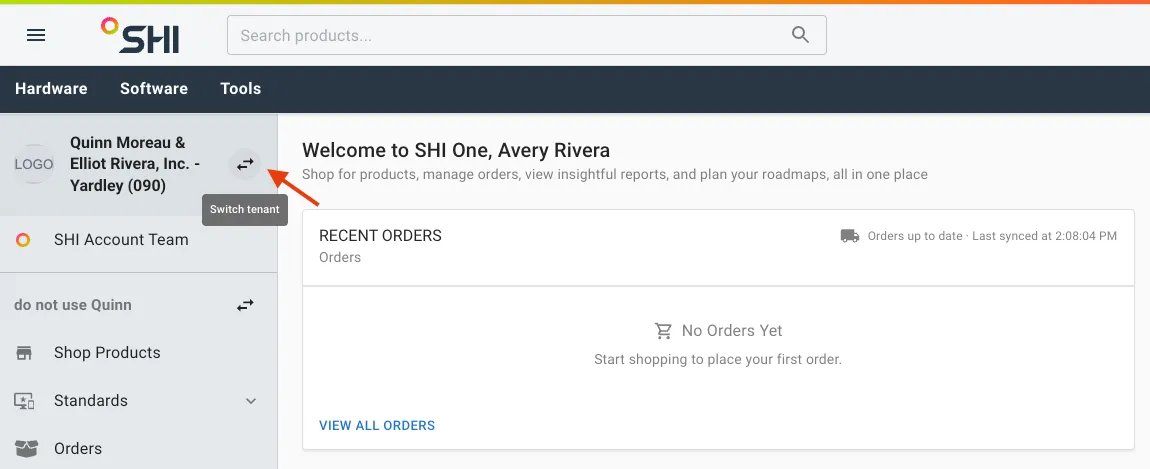
To switch storefronts, select the arrows next to the tenant and storefront names, then choose the storefront you want to use.
The storefronts available for selection depend on your access. If you have only one storefront, the switcher is not displayed and SHI One automatically places you in that storefront.
Feature Descriptions
Storefront Selection
Storefront Switcher
Select the arrows next to the tenant and storefront names to view and change your storefront.
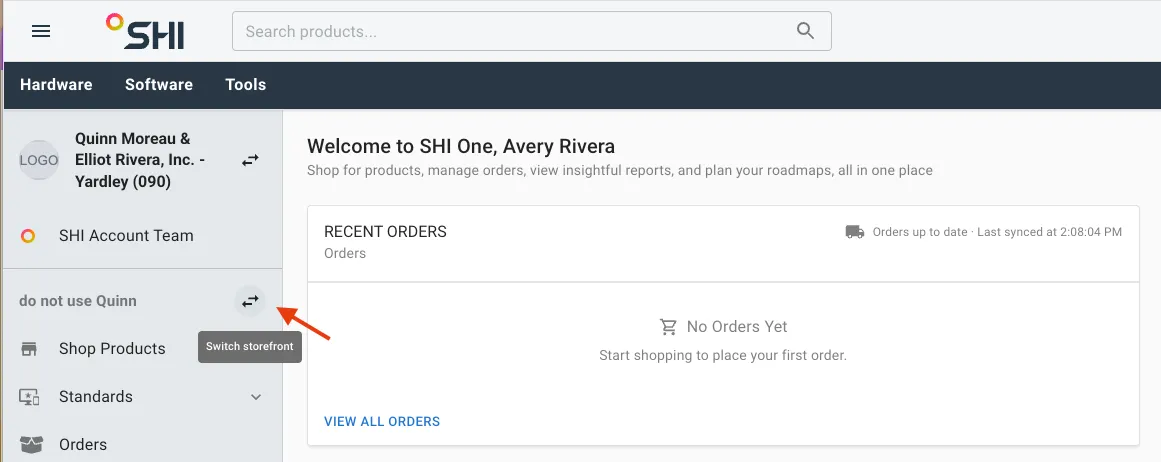
The switcher displays the storefronts available to you. If you have only one storefront, the switcher is not displayed because SHI One automatically places you in the available storefront.
Tenant-level selection
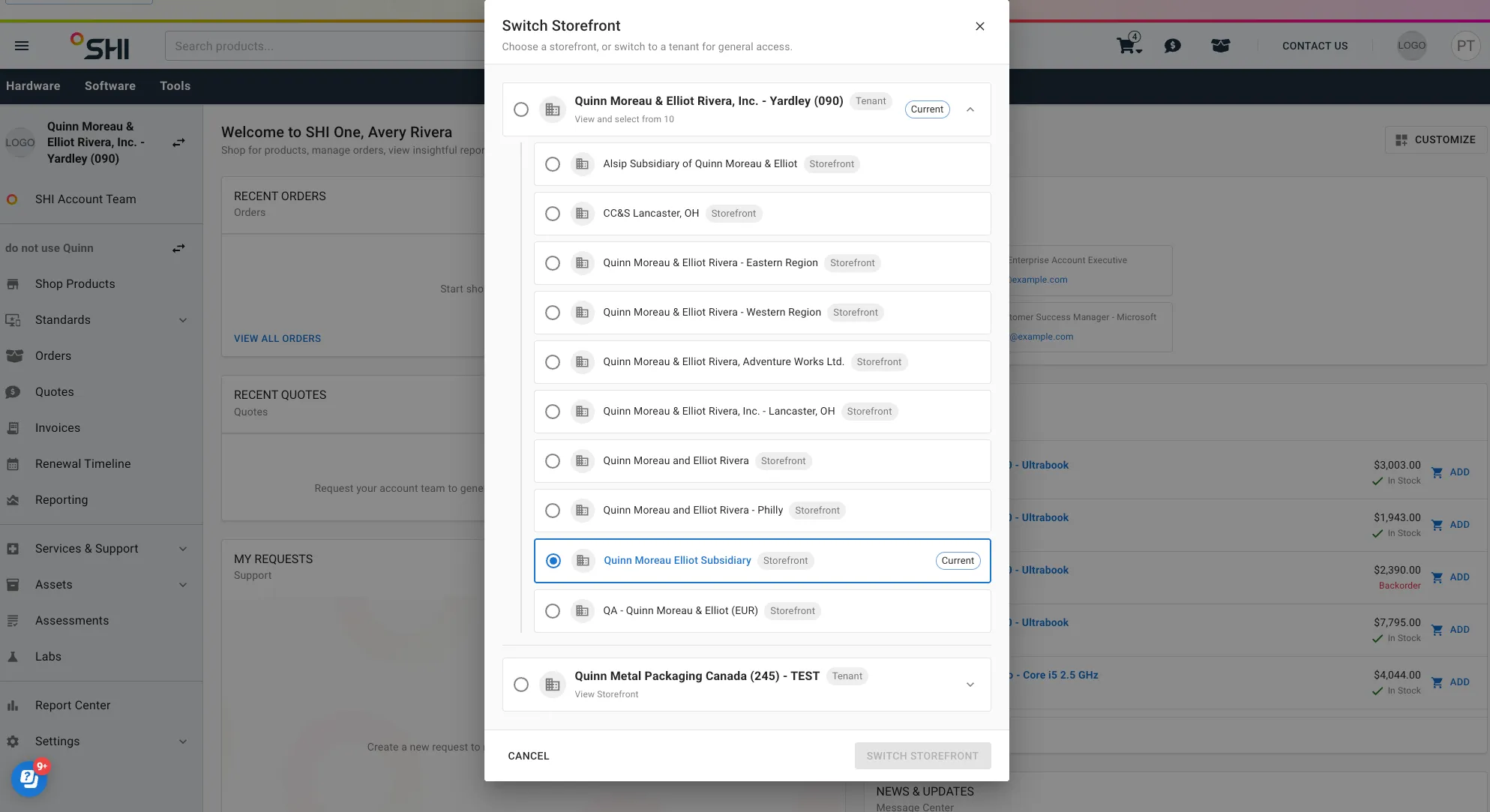
You can select the tenant without selecting a storefront when you do not need the storefront shopping experience.When you move to the tenant level:
- Your existing cart remains saved.
- Your cart is not accessible from the tenant-level interface.
- Storefront-specific settings are not available.
Selecting a storefront again returns you to a storefront-specific experience.
Cart and Catalog Changes
Cart warning
If you have products in your cart and switching storefronts also changes your catalog, SHI One displays the following warning:
The warning lets you review the potential impact before continuing with the storefront change.
Switch storefront
Select Switch storefront to continue after reviewing the cart warning.
SHI One checks the cart against the selected storefront's catalog. Products that the storefront does not offer are removed, and prices are updated when applicable.
If the storefront uses the same catalog, SHI One does not need to reprice the cart as part of the switch.
Cart Update
Cart update notification
If switching storefronts changes your cart, SHI One displays a notification summarizing the changes.The notification can identify:
- Products that were removed because they are unavailable through the selected storefront.
- Products whose prices changed.
If the cart does not change, this cart update notification does not appear.
View Cart
When the cart update notification appears, select View Cart to review the updated cart. The cart reflects the selected storefront's catalog, including remaining products and updated prices.