Cisco Install Base Analysis
Overview
Cisco Install Base Analysis gives users a single place to view the coverage status and lifecycle details of Cisco assets tied to your organization. This module is powered by Cisco CRR, multiple Cisco APIs, and distributor APIs, ensuring accurate and up-to-date insights into your Cisco environment.
Cisco IBA helps you track coverage, identify upcoming expirations, monitor Enterprise Agreement health, and plan strategically—all in one dashboard designed for clarity and decision-making.
Benefits
- Full visibility into Cisco hardware, software, subscriptions, and Enterprise Agreements
- Identify uncovered assets and upcoming expirations before they impact operations
- Monitor EA health scores and live consumption data for better compliance and forecasting
- Simplify planning for renewals and refresh cycles with accurate Cisco data
- Access dedicated SHI Badged Cisco resources who can walk you through the IBA and help interpret insights
Getting Here
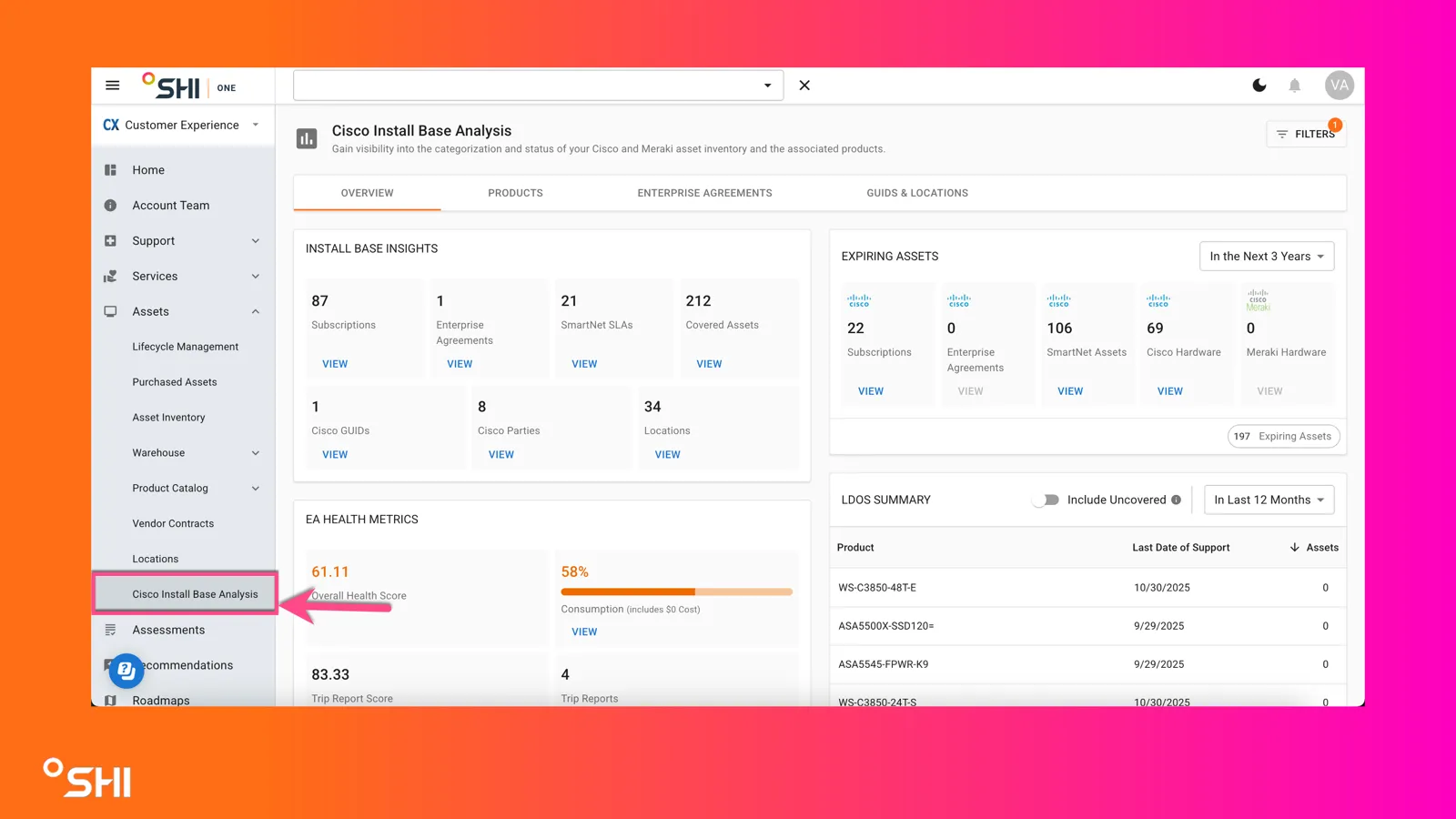
This module is viewable by customers with Cisco data loaded.
To access Cisco Install Base Analysis:
- Use the left navigation panel
- Click on Assets to expand the menu
- Select Cisco Install Base Analysis
Dashboard Overview
When you arrive at Cisco Install Base Analysis, you’ll see a dashboard organized into four main tabs and key widgets:
Overview Tab
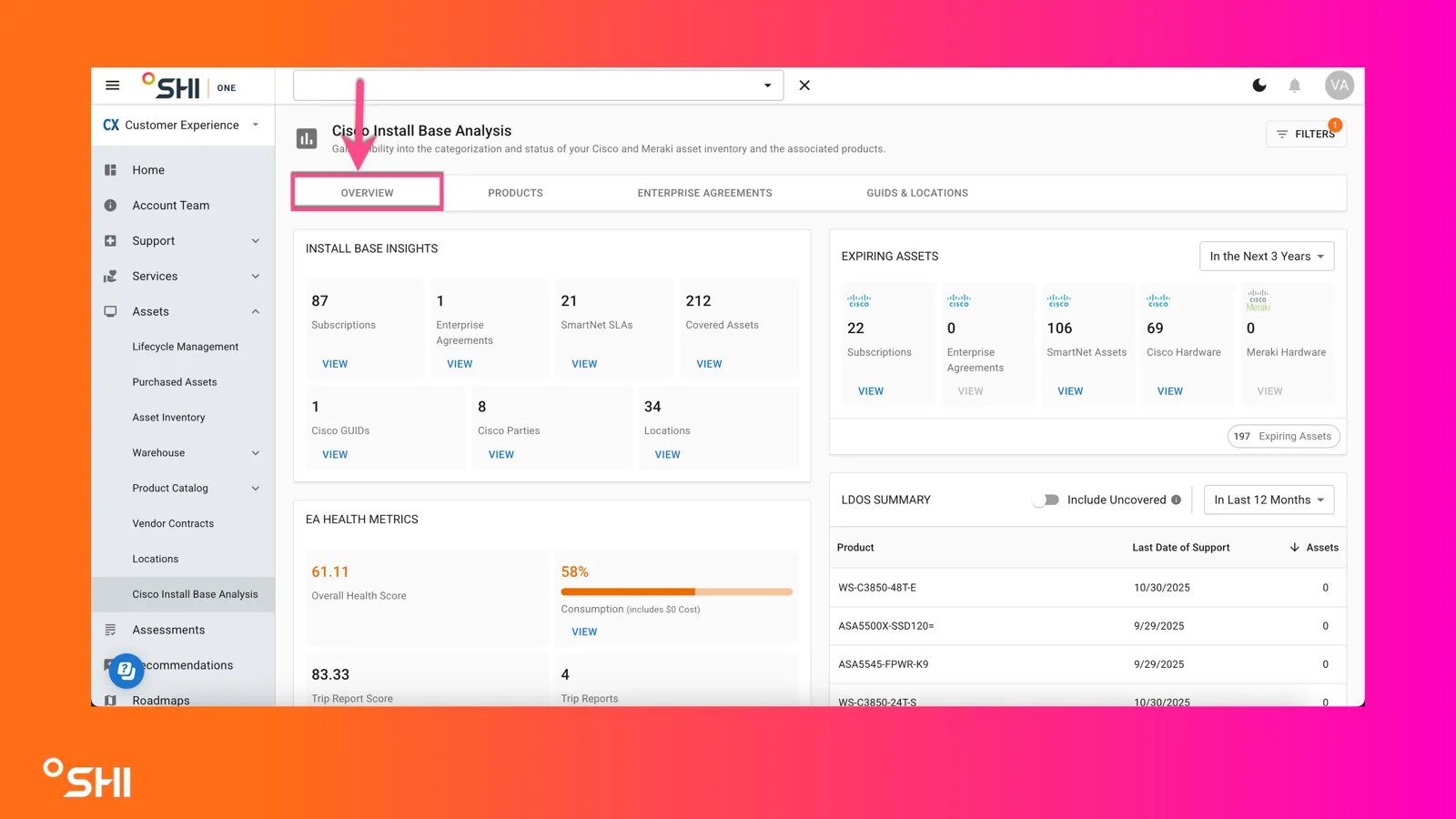
- Install Base Insights: Quick metrics for subscriptions, Enterprise Agreements, SmartNet SKUs, covered assets, Cisco SIDs, GUIDs, and locations. Why this matters: Quickly understand your Cisco footprint.
- Expiring Assets Widget: Configurable to show assets expiring in the next 6 months, 12 months, or 3 years. Why this matters: Stay ahead of coverage expirations with flexible planning windows.
- EA Health Metrics: Displays overall health score, live consumption, and Trip Report scores. Why this matters: Monitor EA utilization and optimize agreements.
- Shipped Hardware Chart: Visual breakdown of shipped hardware by year and covered vs not covered (Cisco vs. Meraki). Why this matters: Spot trends and plan refresh cycles.
- LODS Summary Widget: Configurable to show Last Date of Support for assets across 6 months, 12 months, or 3 years. Why this matters: Avoid unsupported hardware risks.
- Assets by Architecture and LDOS: Color-coded bar chart showing architecture coverage and lifecycle status. Why this matters: Identify gaps by technology area.
- SmartNet GUIDs Widget: Displays all SmartNet Service IDs with associated assets. Why this matters: Helps organize and manage support contracts efficiently.
- Cisco GUIDs Widget: Shows GUIDs tied to your Cisco environment for accurate mapping and grouping. Why this matters: Simplifies asset tracking across large organizations.
Products Tab
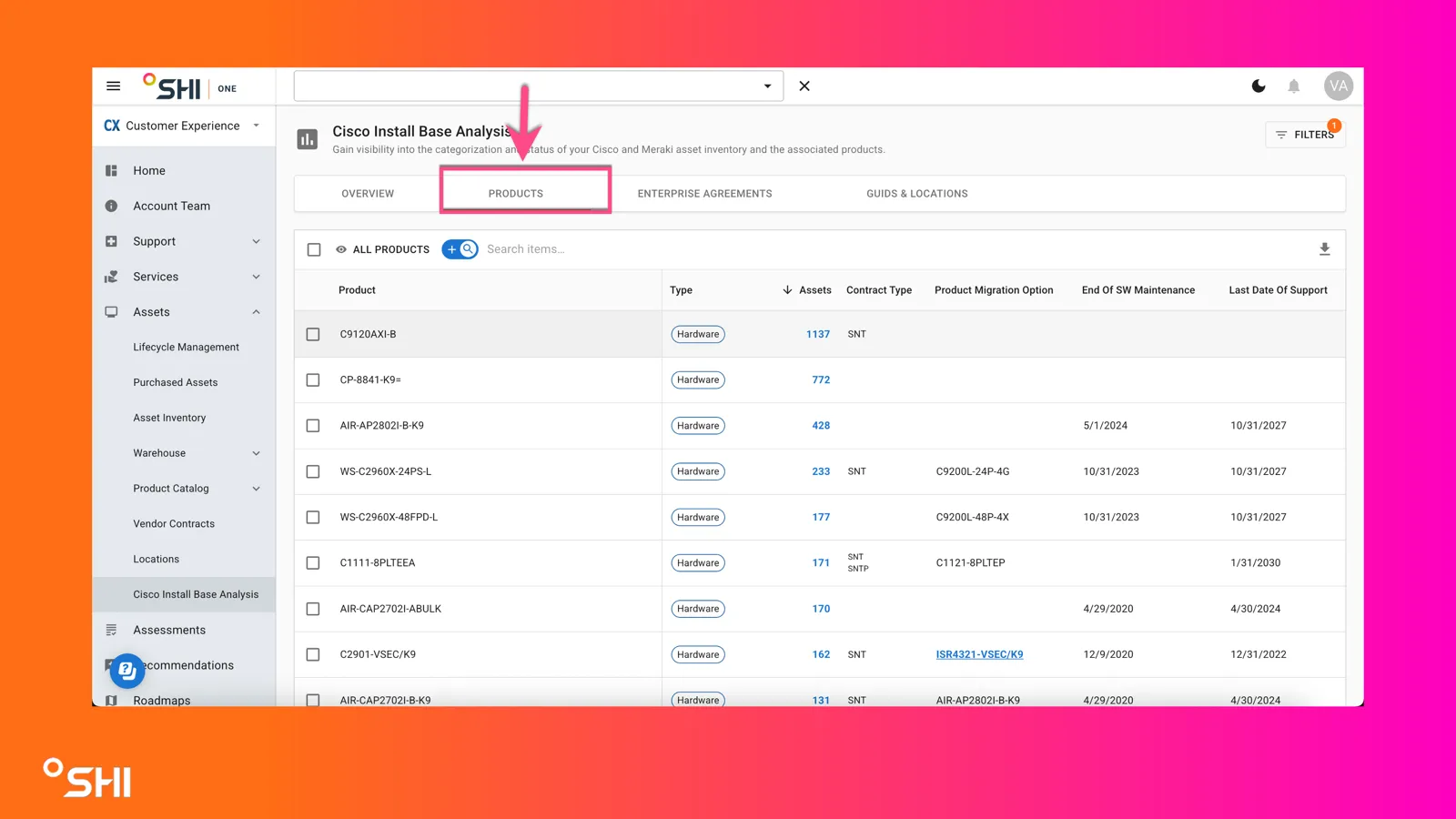
- Detailed table of Cisco products with:
- Asset count
- Contract type
- Cisco direct migration options
- End of SW Maintenance
- Last Date of Support
- Covered Line Status
- Covered Line End Date
- Ability to tag assets for easier organization Why this matters: Drill down into individual product details and plan migrations.
Enterprise Agreements Tab
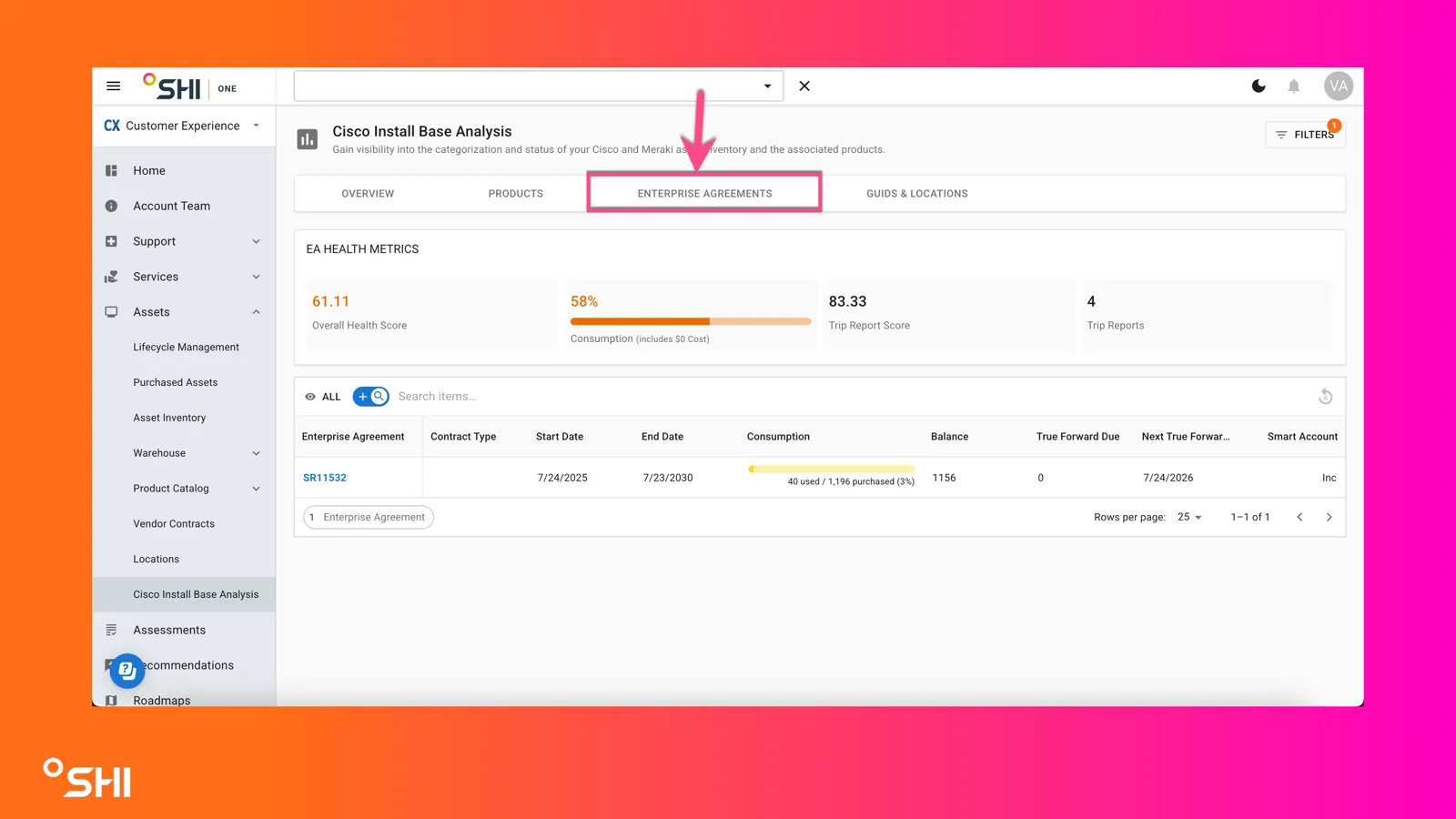
This section provides deep visibility into EA health and consumption:
- Live Consumption Data: See real-time usage vs. purchased entitlement for each SKU.
- Balance Tracking: Monitor remaining quantities and overages.
- True Forward Details: Understand upcoming adjustments and compliance requirements.
- Smart Account Mapping: View which Smart Account each EA is tied to for better governance. Why this matters: Ensures EA compliance, supports accurate forecasting, and prevents unexpected costs.
GUIDs & Locations Tab
- Organize assets by Cisco Service IDs and physical locations. Why this matters: Simplifies asset grouping for large environments.
Key Value Today
Cisco IBA is designed for visibility and planning. Use this module to:
- Understand your Cisco coverage
- Identify risks and upcoming expirations
- Optimize Enterprise Agreements
- Inform renewal and refresh strategies
- Engage SHI Badged Cisco specialists for personalized guidance
FAQs and Troubleshooting
Enterprise Agreements
- How is EA Health Score calculated? → Based on:
- Consumption
- Customer sentiment from SHI calls
- Number of meetings with SHI
- What does “True Forward” mean? → Cisco’s adjustment process based on actual usage; shown with dates and balances.
Access Issues
- Why can’t I see Cisco IBA? → SHI might need to configure the data settings, reach out to your AE.
Data Sources
- Where does Cisco IBA data come from? → Cisco CRR, multiple Cisco APIs, and distributor APIs.