Invoices
The Monthly Invoices page displays all billed service and cloud invoices for the selected billing period (e.g., October 2025). Users can review individual invoice details—including vendor, contract association, contract type, cost, billing date, PO number, and requisition number—alongside a summary of total costs and changes from the previous period.
Getting Here
The Monthly Invoices page is accessible to users with billing or financial permissions in SHI One.
The following permissions allow for full visibility of the data: AWS Accounts > View Invoices, Azure Subscriptions > View Invoices, GCP Accounts > View Invoices, Invoices > View Invoices, Office 365 Subscriptions > View Invoices.
To reach this page, navigate to Services in the left-side menu, then click Billing, and select the Monthly Invoices tab at the top of the Billing module.
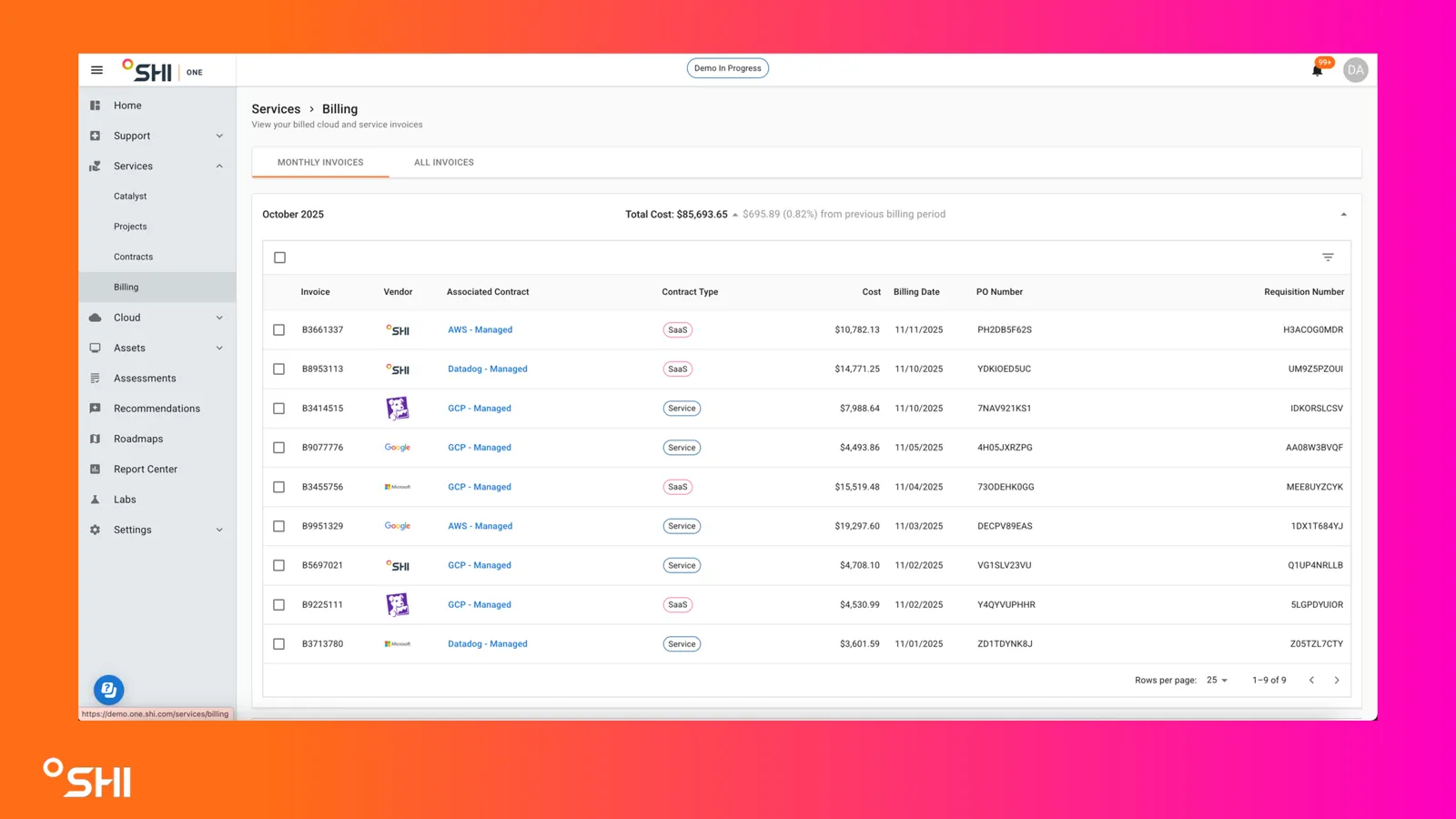
Once on the Monthly Invoices page, you can use the table and controls to review, filter, and analyze your billing data in detail.
How To Guides
How to View Invoice Details
On the Monthly Invoices page, review each row for key invoice information.
Select the Checkbox Next to the Item.
Select Actions
Click Email
Confirm the Email Address for the recipient. You will be emailed a copy of the invoice.
How to View Historical Invoices
Switch to the "All Invoices" tab to access and review invoices from previous billing periods.