Quote Details Page
Feature Overview
The Quote Details Page is a full rebuild of the legacy SHI.com quote details experience, providing a modernized, permission-aware view of a single quote with clearer status indicators, header-level actions, and improved line item interactions.
It is built for SHI.com and SHI One users including end buyers, procurement admins, account teams, and tenant-level reviewers, with the goal of helping users quickly understand a quote, take action on it (add to cart, share, download), and clearly differentiate between active and expired quote behavior.
Key Terms Explained
- Quote: A saved set of priced line items with an expiration date that a user can convert into a cart or order.
- Active Quote: A quote whose expiration date has not passed and whose pricing remains valid for purchase.
- Expired Quote: A quote past its expiration date, retained for historical reference; pricing does not update on the quote itself.
- Quote Name: A human-readable label associated with the quote.
- Quote Number: The system identifier for the quote.
- Storefront: The single procurement context under which a quote was created.
- Line Item: A single product entry on a quote, including image, name, description, MPN, SHI Part #, availability, unit price, quantity, and line total.
- Line Selection: The act of selecting or deselecting a line item to include or exclude it from pricing and add-to-cart flows.
- Availability Check: A check performed on page load to display current inventory status for each line item.
- Catalog-Eligible Item: An item present in the customer's catalog or standards, which is the only type of item from an expired quote that can be added to cart.
- Account Team: The CRM-sourced primary owner contact information for the account, including name, email, and phone.
Functionality Overview
What users can do with this feature:
- View key quote metadata at the top: See quote name, number, storefront, created date, expiration date, expiration countdown, and active/expired status in a prominent header.
- Take action from the header: Add to Cart, Share Quote, and Download Quote directly from the top of the page.
- Navigate between quotes: Move to the previous or next quote in the user's quote list, respecting any active filters.
- Review line item details: See product photo, item name, description, MFR Part #, SHI Part #, availability, unit price, quantity controls, and line total.
- Select or deselect lines: Choose which lines are included in pricing totals and add-to-cart actions, with dynamic recalculation.
- See dynamic totals: Tax, shipping, subtotal, and total update automatically based on line selection.
- Understand expired quote implications: A clear visual banner and restricted behavior communicate the expired state.
- Add eligible expired-quote items to cart: Only catalog-eligible items are addable; pricing reverts to current catalog pricing on add.
- View supporting information: Summary, Shipping Address, Contact, and Account Team sections provide complete quote context.
Notes and Constraints
- All actions respect quote and catalog permissions.
- Expired quotes do not reprice on the quote itself; repricing only occurs on add-to-cart or refresh.
- Items not in the customer's catalog appear grayed out on expired quotes and cannot be added to cart.
- Availability is checked once on page load.
Getting Started
Accessing the Feature
Navigate to the Quote Details Page from the Quotes table by clicking a Quote ID, or by following a link from a quote email.
Ensure you have the required role and permissions: access to the storefront the quote belongs to, plus any catalog permissions required to view pricing and add items to cart.
Prerequisites
Accounts and roles required: Active SHI One user account with access to the storefront the quote belongs to. Configuration required: Catalog and quote permissions configured for the user; CRM Primary Owner populated for the account to surface Account Team information. Data required: An existing quote created in SHI.com or published from SalesCenter.
Using the Quote Details Page (Step-by-Step Guides)
- Reviewing Quote Header Information
Open a quote from the Quotes table.
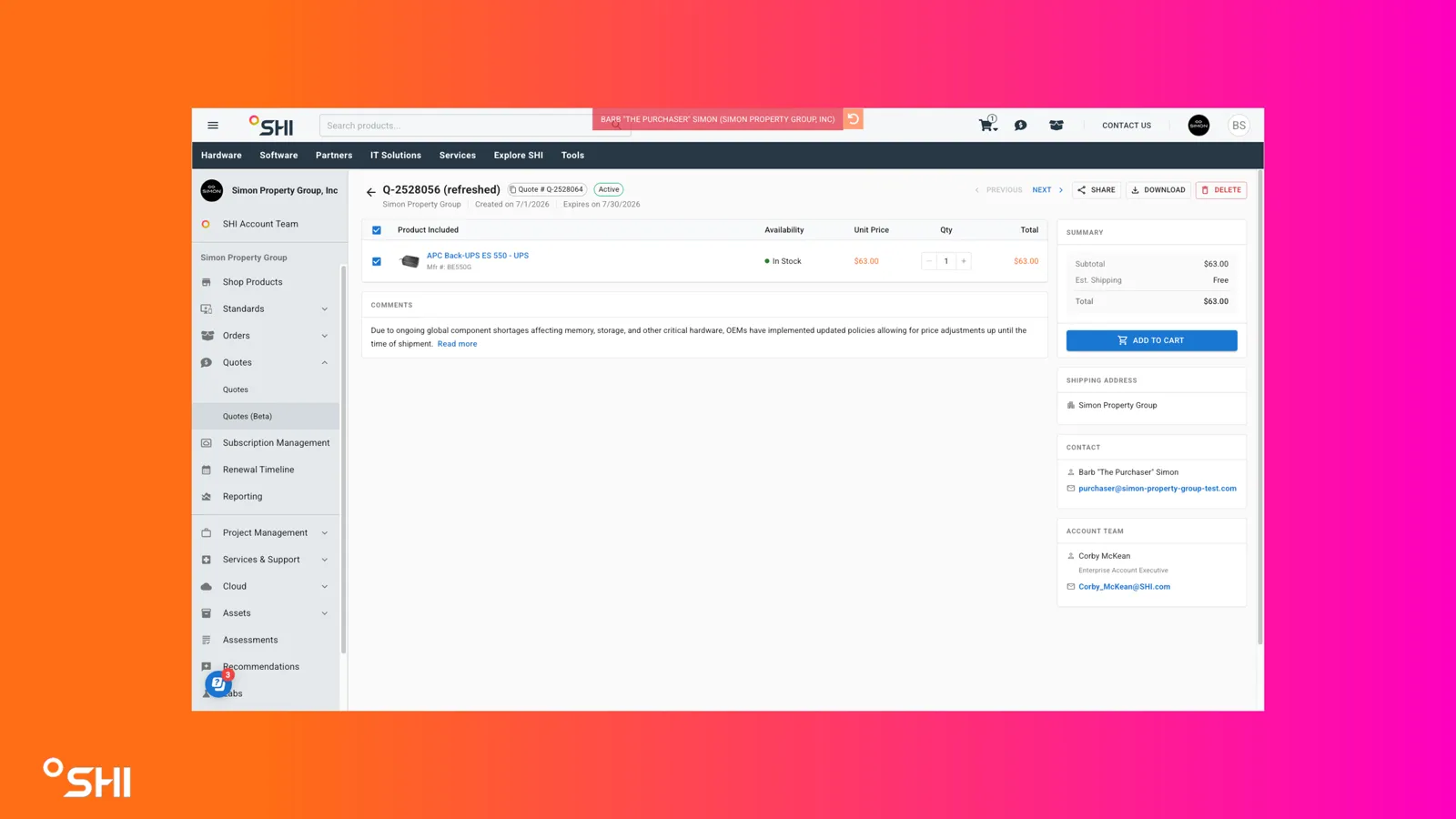
Review the high-level information shown at the top of the page:
- Quote Name
- Quote Number
- Storefront Name
- Created Date
- Expiration Date
- Expires in "X" days countdown
- Active or Expired status indicator
- Using Header-Level Actions
Locate the action controls in the header.
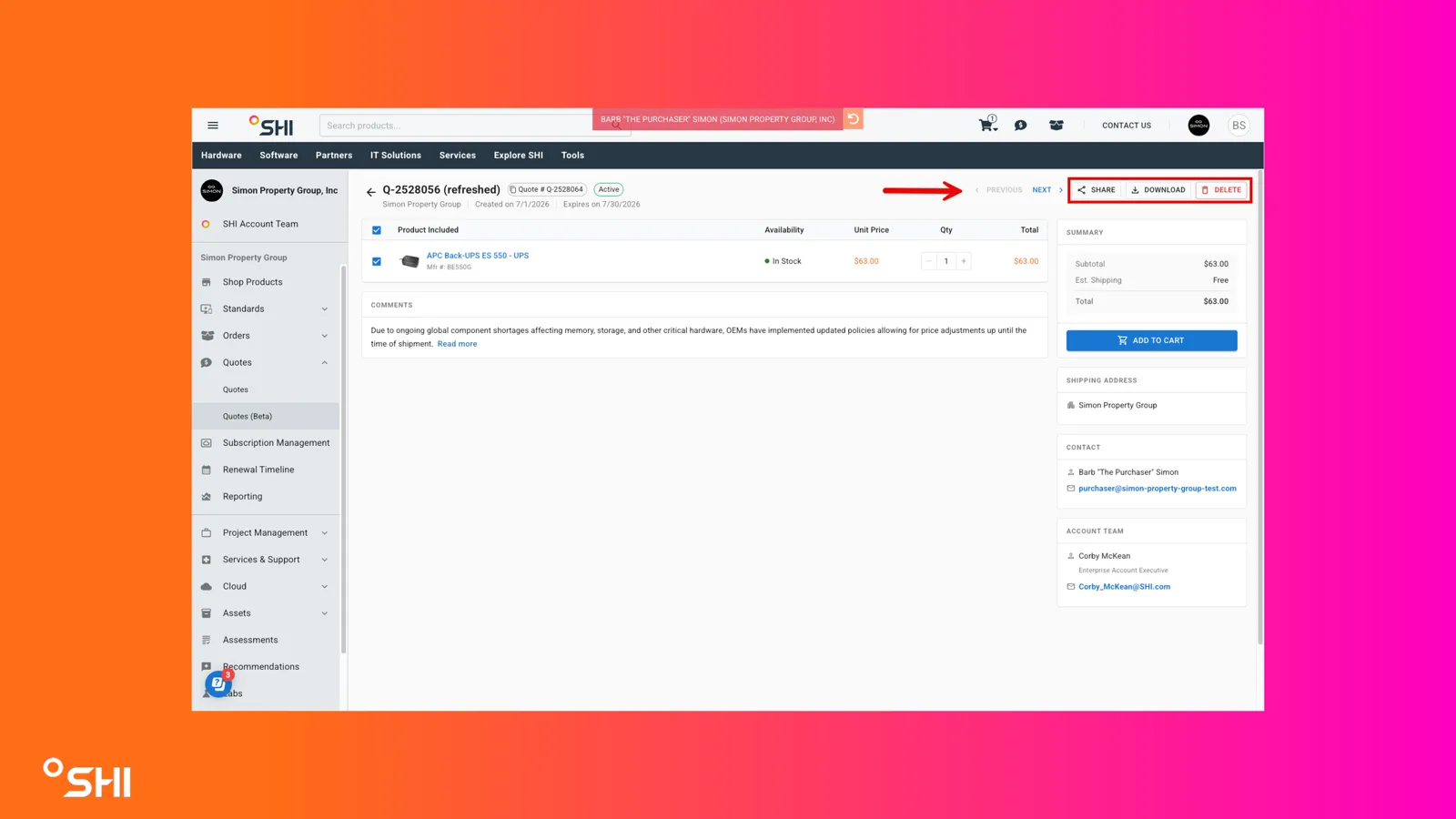
Choose an action:
- Add to Cart: Opens the redesigned confirmation dialog (see "Adding to Cart").
- Share Quote: Opens the Share dialog (see "Sharing a Quote").
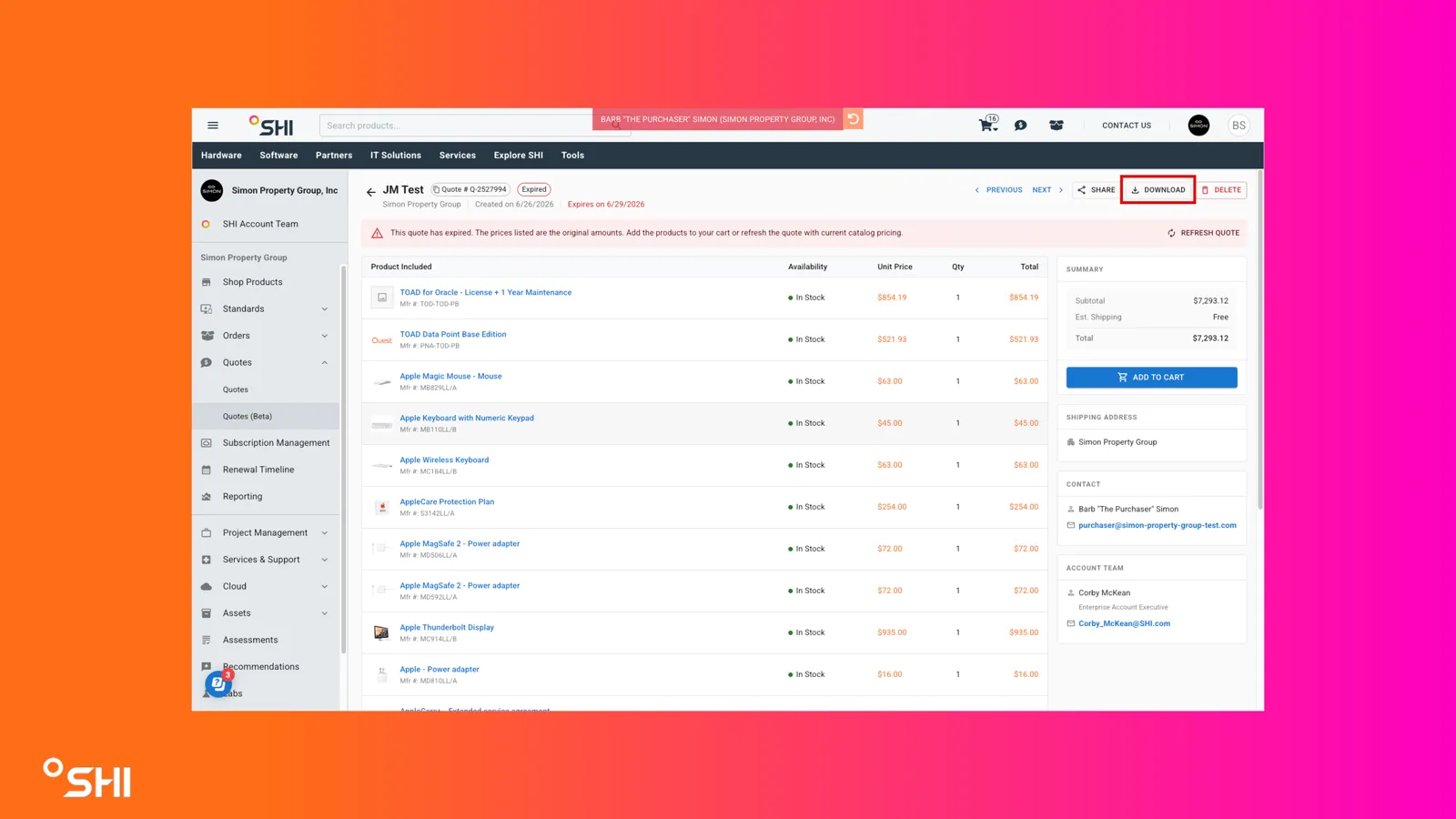
- Download Quote: Downloads the same file generated and sent to users upon quote creation.
- Navigating Between Quotes
Use the View Previous Quote and View Next Quote controls in the header.
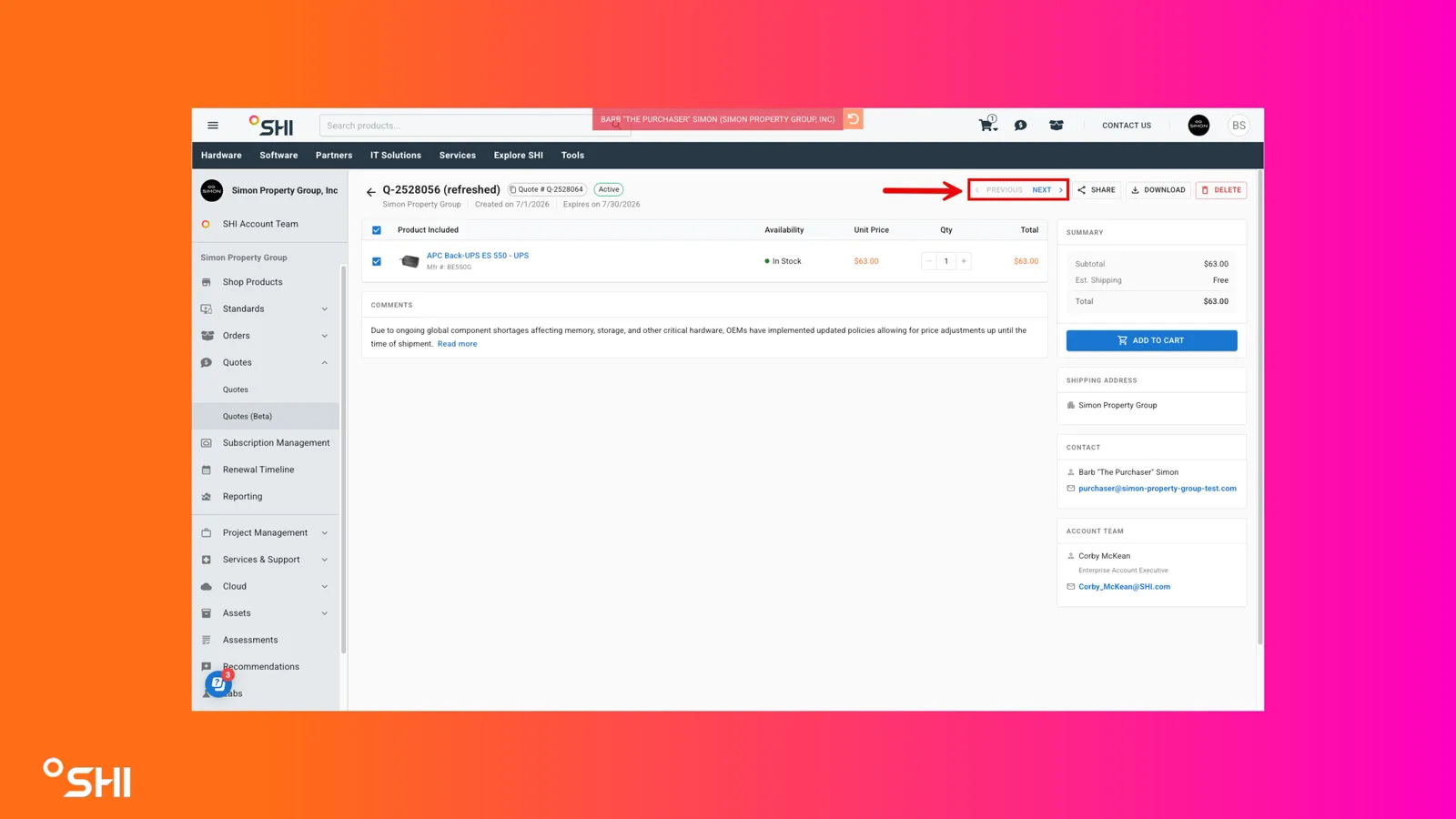
- Reviewing Line Items on an Active Quote
Scroll to the line items section.
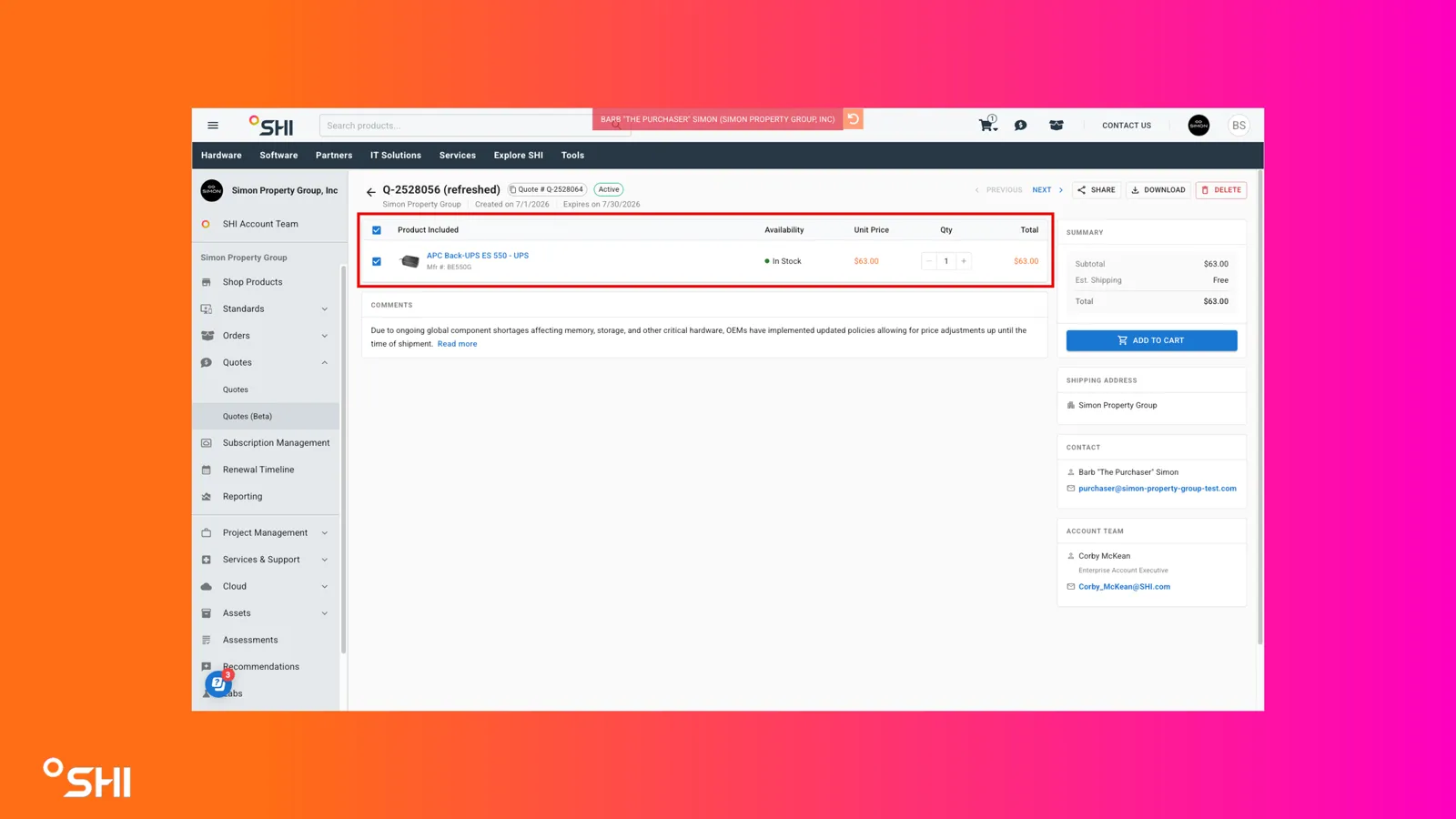
For each line, review:
- Product photo
- Item Name
- Description
- MFR Part #
- SHI Part #
- Availability (checked on page load)
- Unit Price
- Quantity (plus, minus, fill-in value)
- Line Total
Use the line-level selection control to include or exclude a line and update quantities using the quantity controls.
- Adding an Active Quote to the Cart
Click Add to Cart from the header or Summary section.
Review the confirmation dialog showing all lines added to the cart, including for each line:
- Product photo
- Item name
- Inventory status chip
- Total cost per line
- Quantity controls (plus, minus, value in cart)
- Delete control
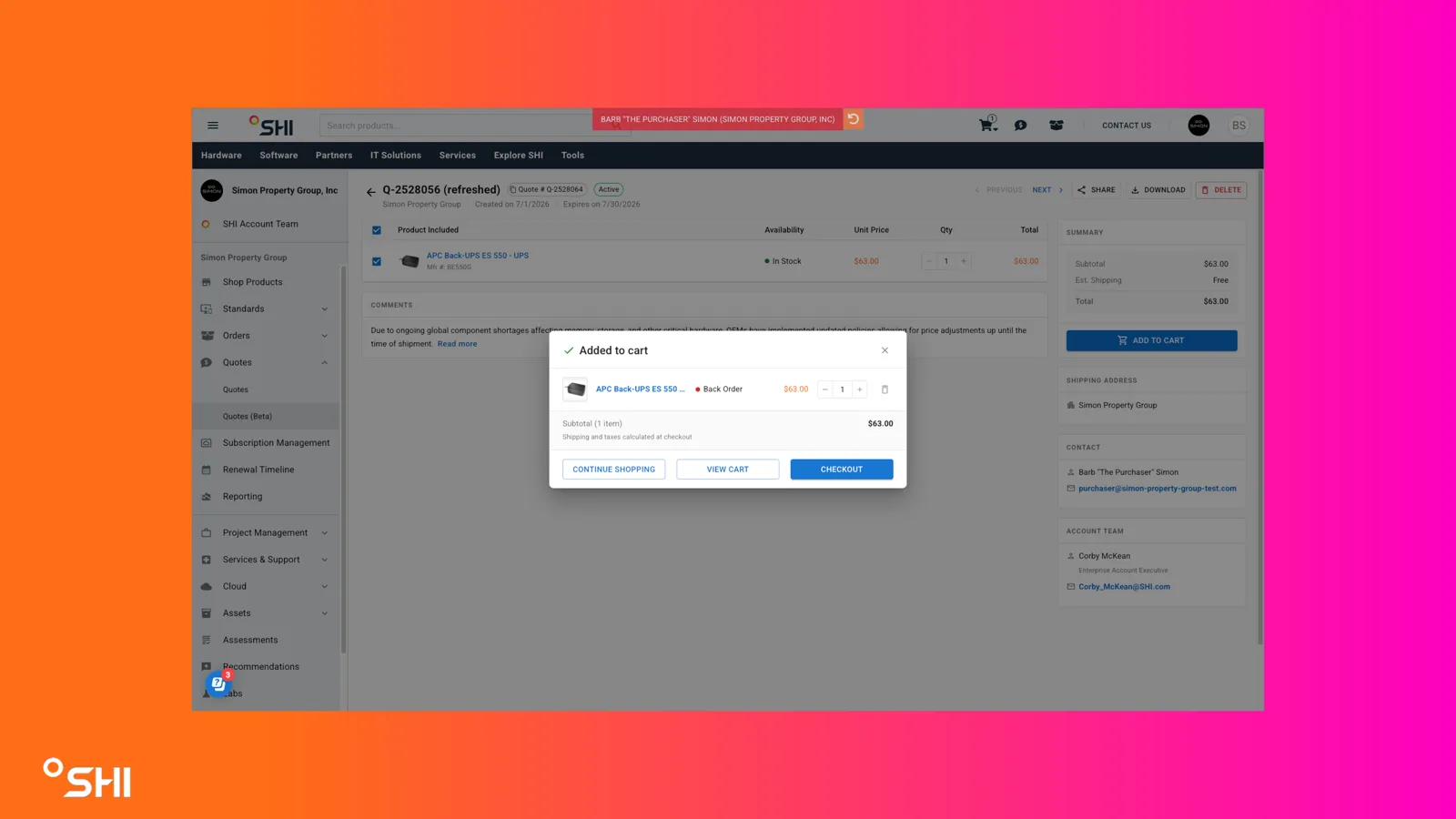
Edit quantities directly in the dialog:
- Increasing or decreasing values updates the cart in real time.
- Setting a line quantity to 0 removes the line from the cart.
Use the bottom action buttons as needed:
- Continue Shopping: Closes the dialog.
- View Cart: Navigates to the cart.
- Checkout: Begins the checkout workflow.
- Reviewing an Expired Quote
Open an expired quote from the Quotes table.
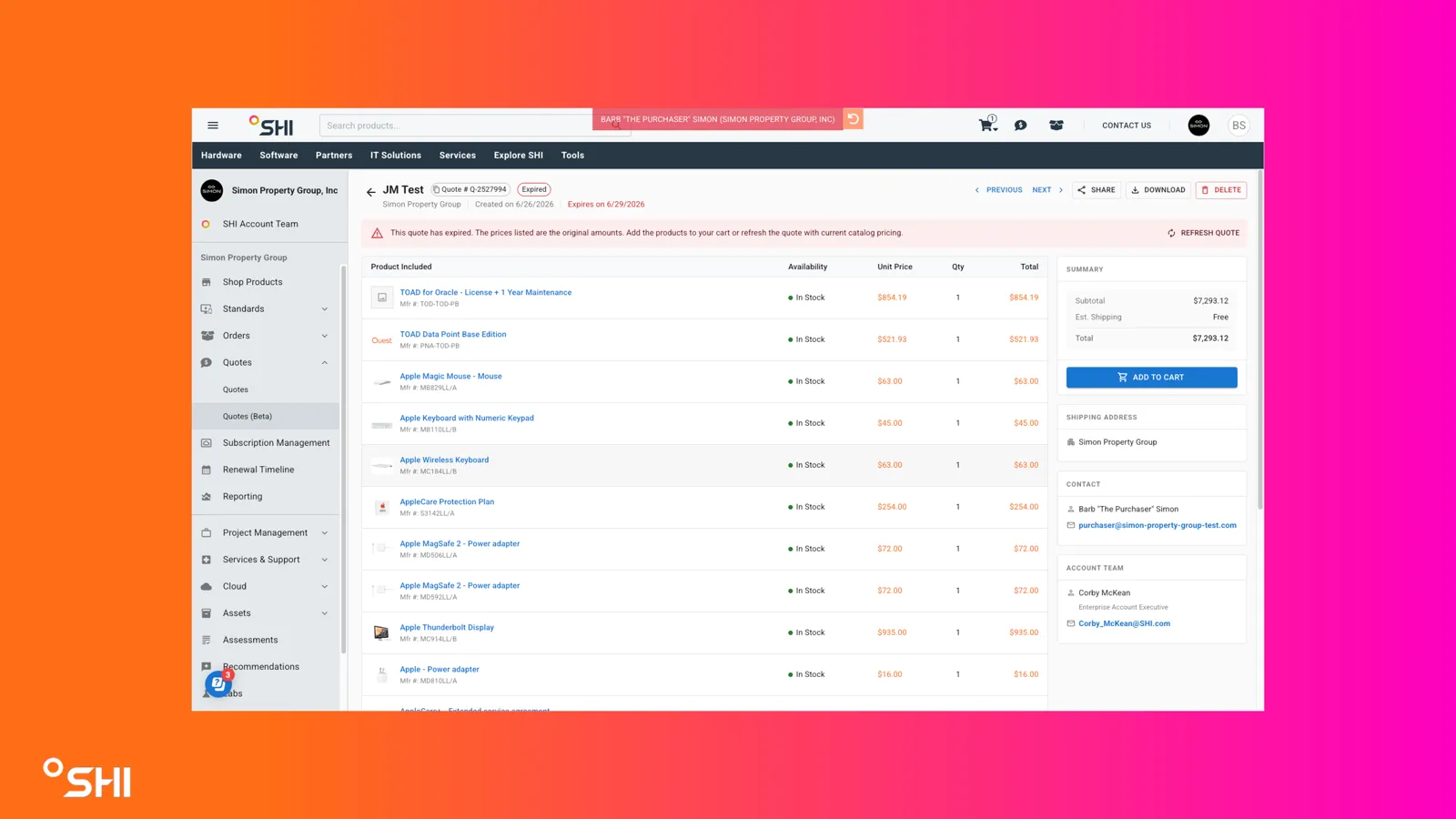
Review the expired-state banner at the top of the page: "This quote has expired. Prices shown below are not current. Send a request to your sales account team to refresh this quote."
Review line items:
- Catalog-eligible items are available for selection and Add to Cart.
- Items not in the customer's catalog appear grayed out and cannot be added to cart.
- Adding an Expired Quote to the Cart
Click Add to Cart.
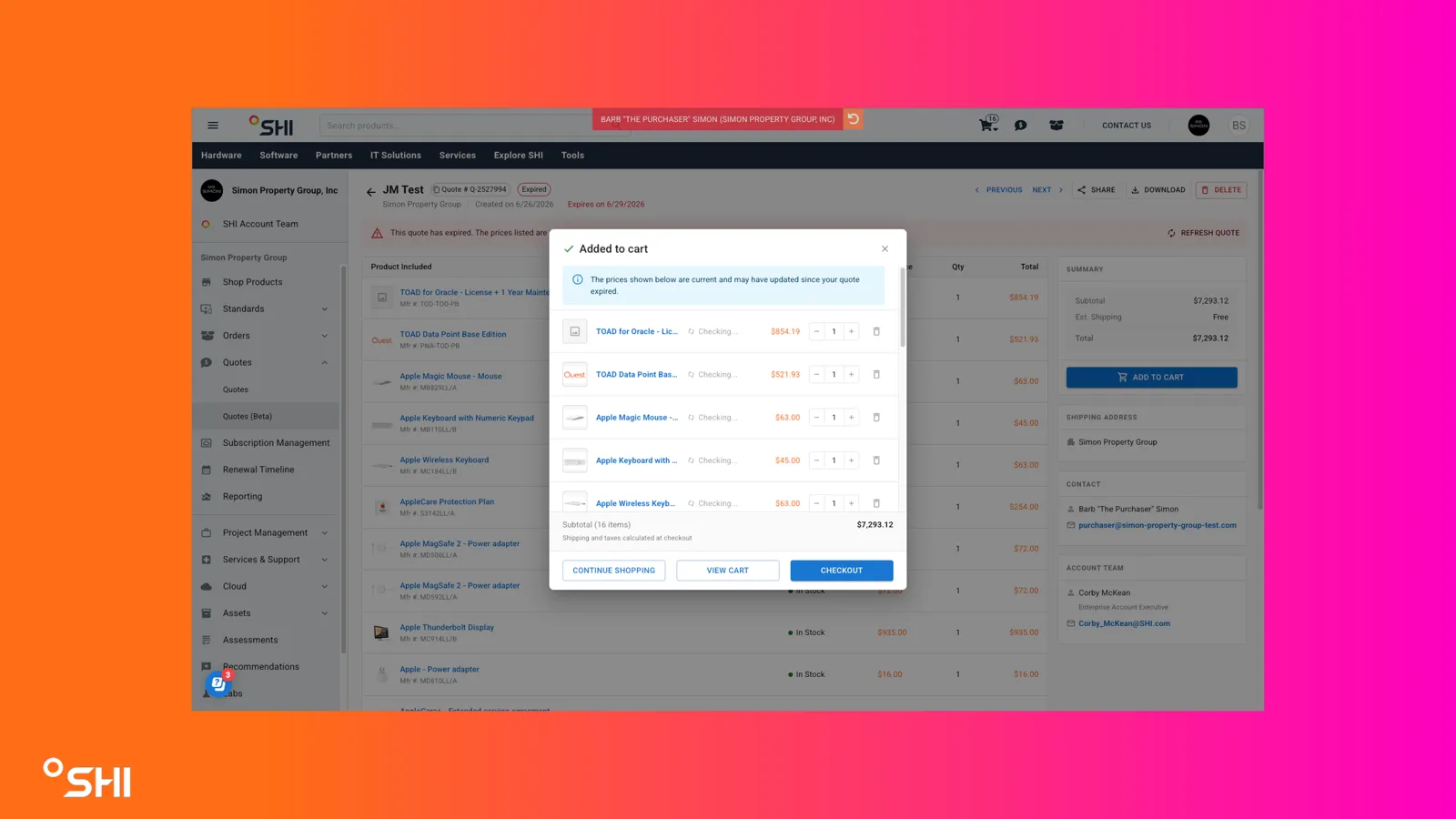
Review the confirmation dialog. Pricing for added items reverts to current catalog standard pricing on addition.
Proceed with Continue Shopping, View Cart, or Checkout.
- Refreshing an Expired Quote
Open an expired quote from the Quotes table.
Click the Refresh Quote banner item in the header of the quote.
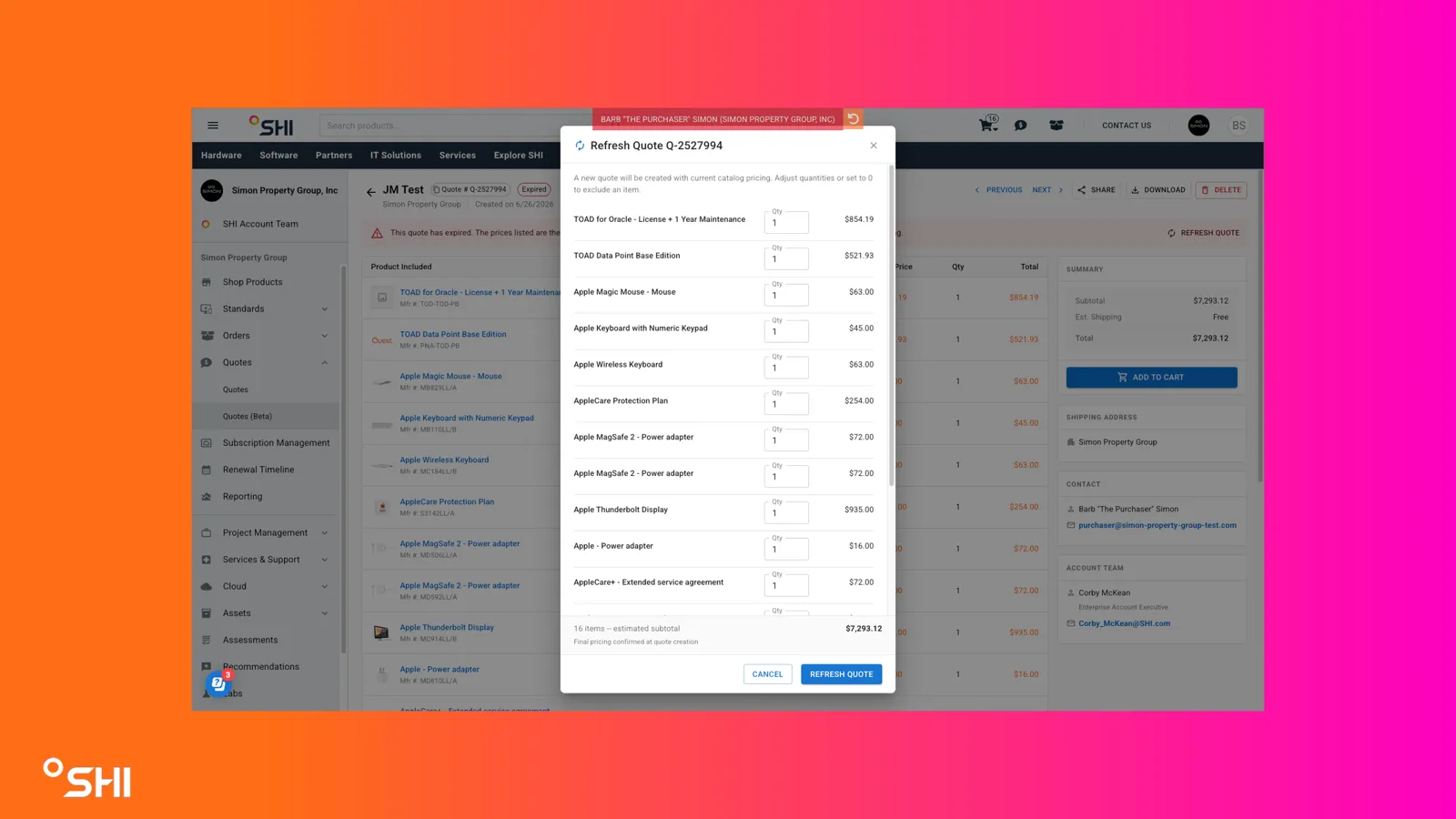
Review the confirmation dialog. A message will appear stating: "A new quote will be created with current catalog pricing. Adjust quantities or set to 0 to exclude an item."
Click Refresh Quote button to create new quote. You will be redirected to your new quote.
- Sharing a Quote
Click Share Quote in the header.
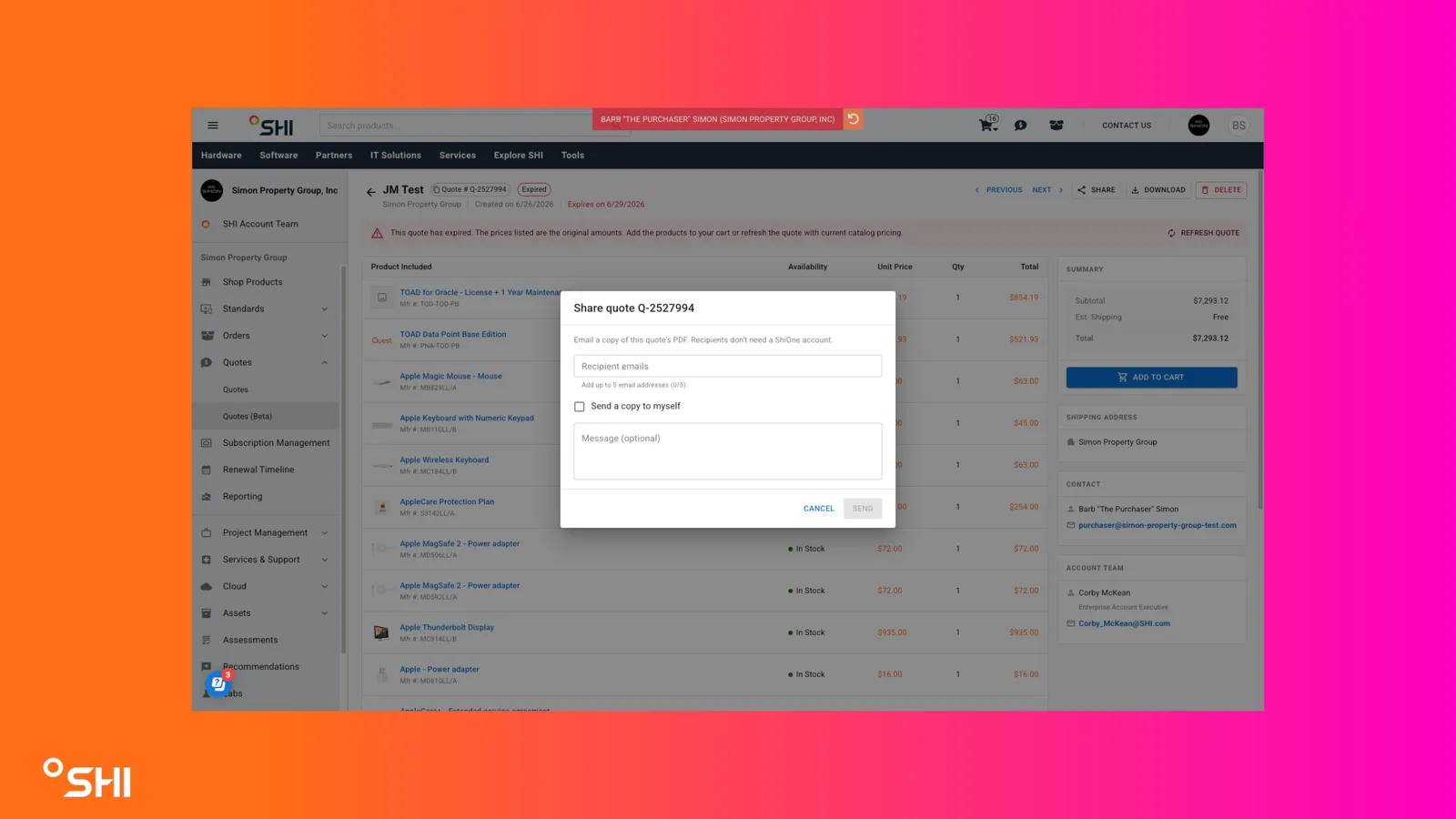
Complete the share dialog:
- Select Send a copy to my email address (checkbox) to include yourself.
- Select Send a copy to others (checkbox) and add recipient emails in the field below.
- Optionally add a message; this appears in the Additional Comments section of the quote email.
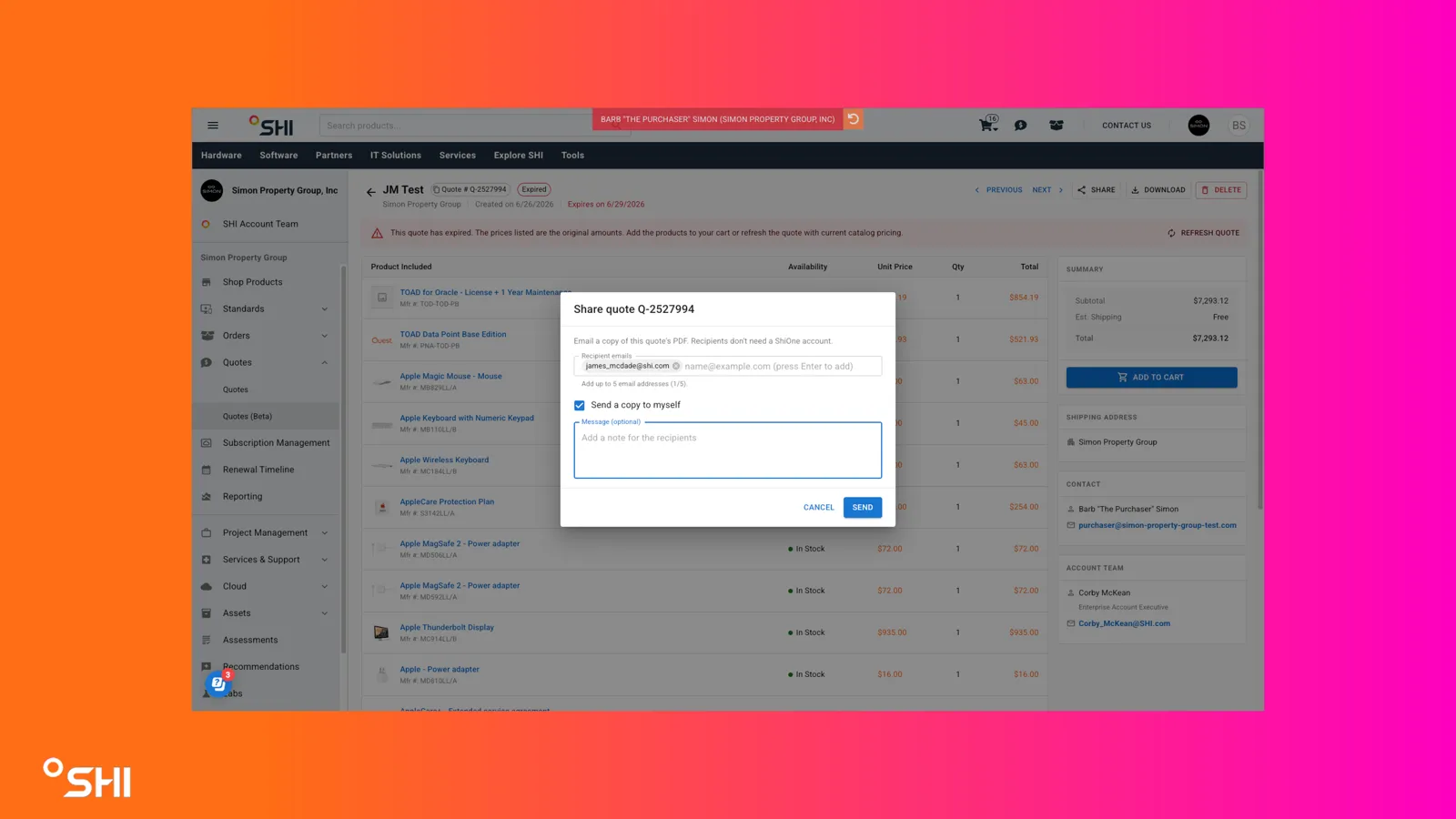
Send the email.
- Downloading a Quote
Click Download Quote in the header.
- Reviewing the Comments Section
Scroll below the line items to the Comments section.
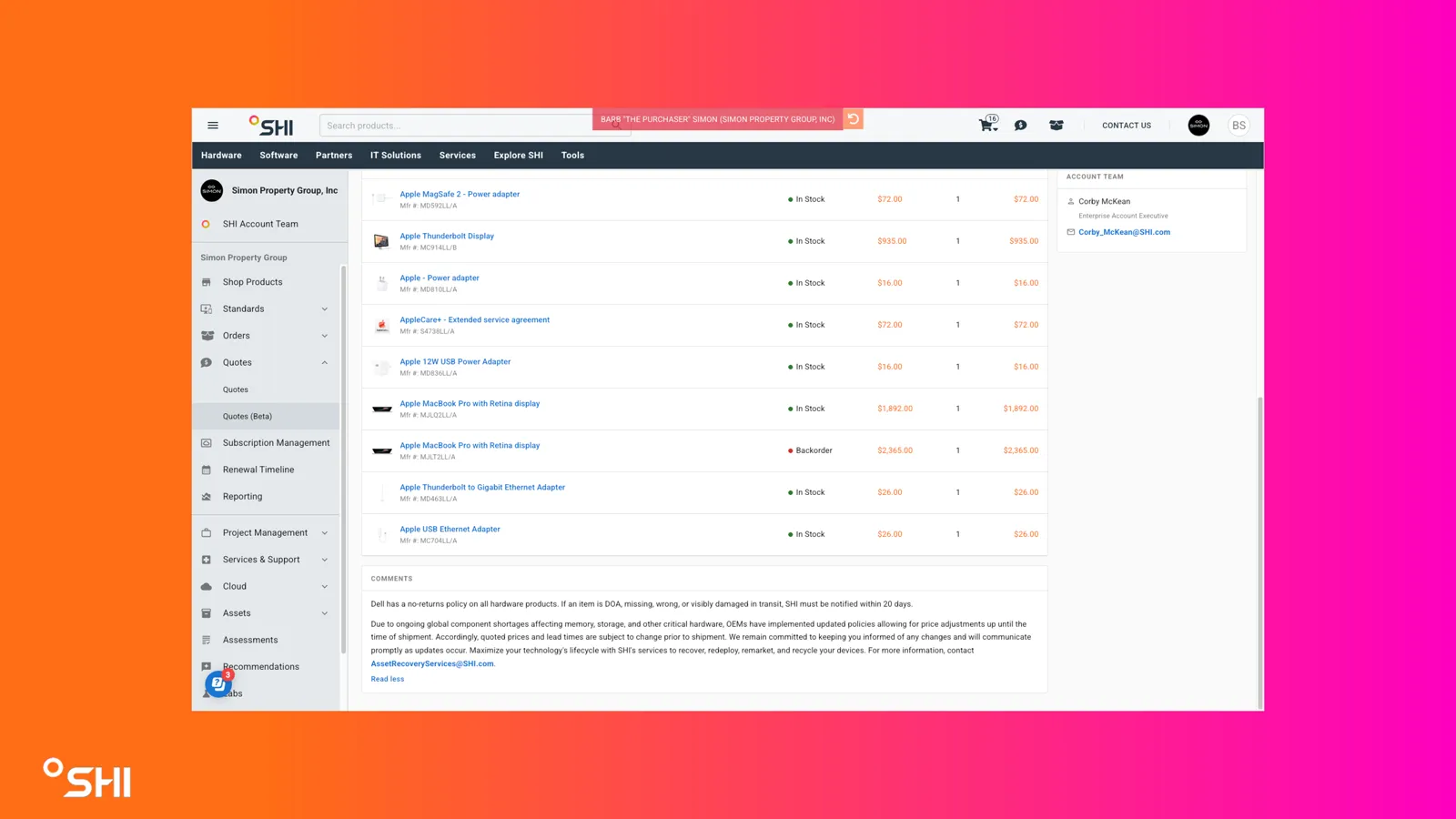
Review the standard message shown on every quote (active or expired):
"Dell has a no-returns policy on all hardware products. If an item is DOA, missing, wrong, or visibly damaged in transit, SHI must be notified within 20 days.
Due to ongoing global component shortages affecting memory, storage, and other critical hardware, OEMs have implemented updated policies allowing for price adjustments up until the time of shipment. Accordingly, quoted prices and lead times are subject to change prior to shipment. We remain committed to keeping you informed of any changes and will communicate promptly as updates occur. Maximize your technology's lifecycle with SHI's services to recover, redeploy, remarket, and recycle your devices. For more information, contact [email protected]."
- Reviewing Information Sections
Summary
Locate the Summary section.
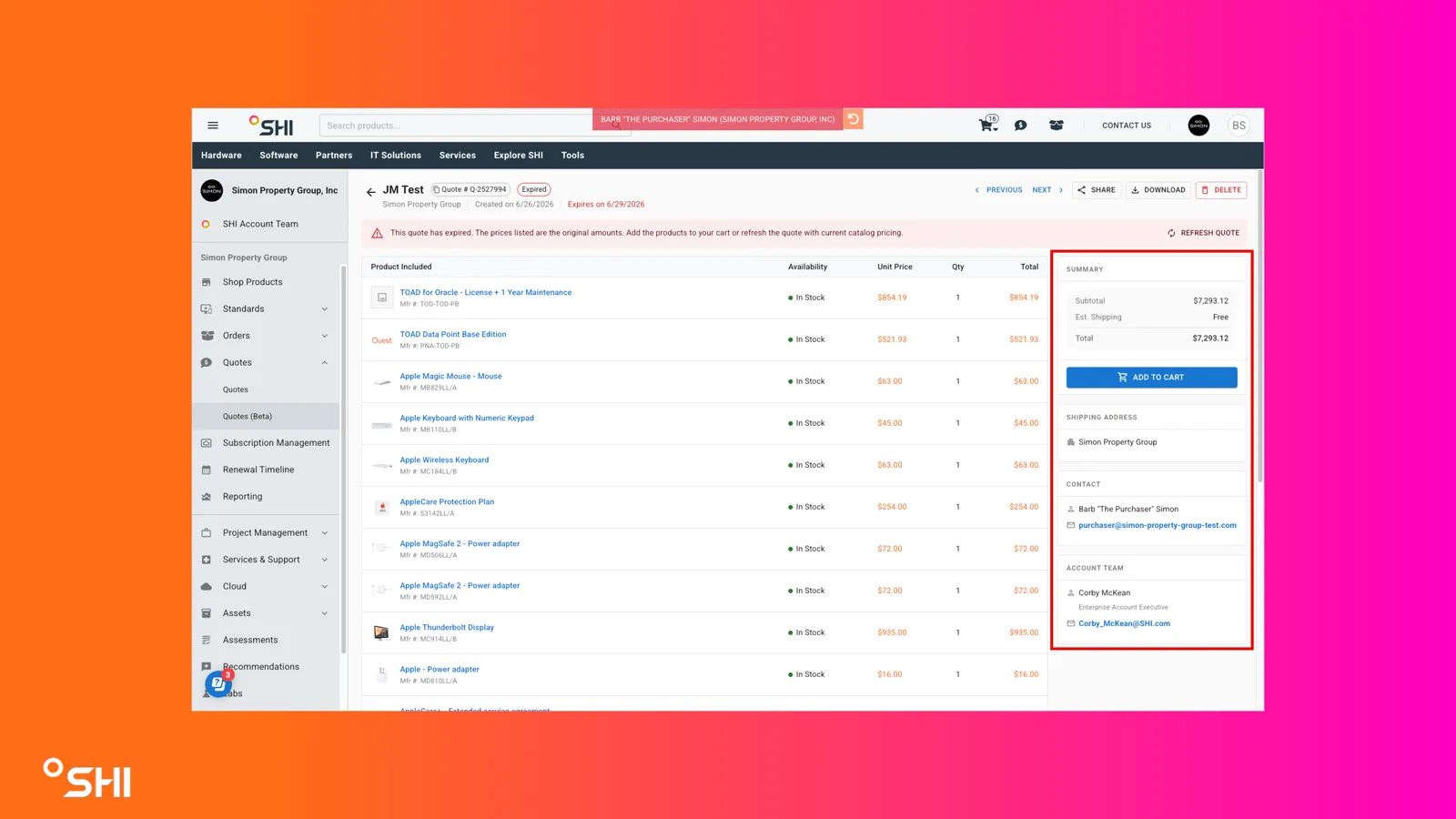
Review the fields:
- Subtotal (always shown)
- Est Shipping (if selected during quote creation)
- Est Tax (if selected during quote creation)
- Total
- Add to Cart button
Shipping Address (if applicable)
Locate the Shipping Address section.
Review the fields:
- Company Name
- Shipping Address
Contact
Locate the Contact section.
Review the fields:
- Name
- Phone
Account Team
Locate the Account Team section.
Review the fields (drawn from the CRM Primary Owner field for the account):
- Name
- AE Email
- AE Phone
Use Cases and Scenarios
Primary Use Cases
- A buyer opens an active quote, deselects a couple of lines, and adds the remaining items to cart for checkout.
- A procurement admin shares an active quote with a colleague and downloads a copy for their records.
- A buyer revisits an expired quote, sees the expired banner, and adds only catalog-eligible items at current pricing.
- A user pages through multiple recently expiring quotes using Previous/Next navigation to triage what needs refreshing.
Best Practices
- Use line selection to quickly model partial purchases without leaving the quote.
- For expired quotes, review the banner first and then identify which items remain catalog-eligible before attempting to add to cart.
- Use Share Quote with a brief message to give recipients context about why you are sharing.
- Use Previous/Next navigation after filtering the Quotes table to walk through a focused subset (for example, quotes expiring this week).
- Confirm Account Team contact details before reaching out for a quote refresh.
Troubleshooting and FAQs
Common Issues
- Some items on my expired quote are grayed out: Those items are not in your catalog. Only catalog-eligible items from expired quotes can be added to cart.
- Prices changed after I added items from an expired quote: This is expected. Expired-quote items revert to current catalog standard pricing on add to cart.
- Tax or shipping is missing from the Summary: Est Shipping and Est Tax are only displayed if they were selected during the quote creation process.
- Availability looks out of date: Availability is checked on page load. Refresh the page to re-check.
- Previous/Next navigation skips quotes I expected to see: Navigation honors the filter applied on the Quotes table. Clear filters to navigate the full set.
FAQs
- Why does the Contact field show different people on different quotes?
- For SHI.com-created quotes the Contact is the quote creator; for quotes published from SalesCenter the Contact is the delivery contact.
- Can I edit prices on an expired quote?
- No. Expired quotes retain historical pricing for reference. Repricing only occurs on add to cart for catalog-eligible items.
- Does the downloaded quote file match the email attachment?
- Yes. Download Quote produces the same file generated and sent upon quote creation.
- Can I add to cart from the All Quotes view and open Quote Details from another storefront?
- You can open Quote Details for cross-storefront visibility, but add-to-cart and reorder actions follow the cross-storefront restrictions defined in the Quotes view.
- Does Share Quote send the same email format as the legacy experience?
- Yes. The legacy email body is preserved, with any optional message added to the Additional Comments section.