Requests
The Requests page provides a comprehensive overview of all support requests associated with your account. Users can filter, search, and sort requests by status, type, severity, and other key fields. The page also offers quick actions such as creating a new request, viewing ticket details, and exporting request lists.
Getting Here
This module is viewable by all users, but the ability to submit requests will depend on the contracted services you have with SHI. Users can only submit Requests for the contracts, permissions, and accounts on Security Group(s) for which they are assigned.
To access the Requests page, use the left navigation panel: click on Support to expand the menu, then select Requests.
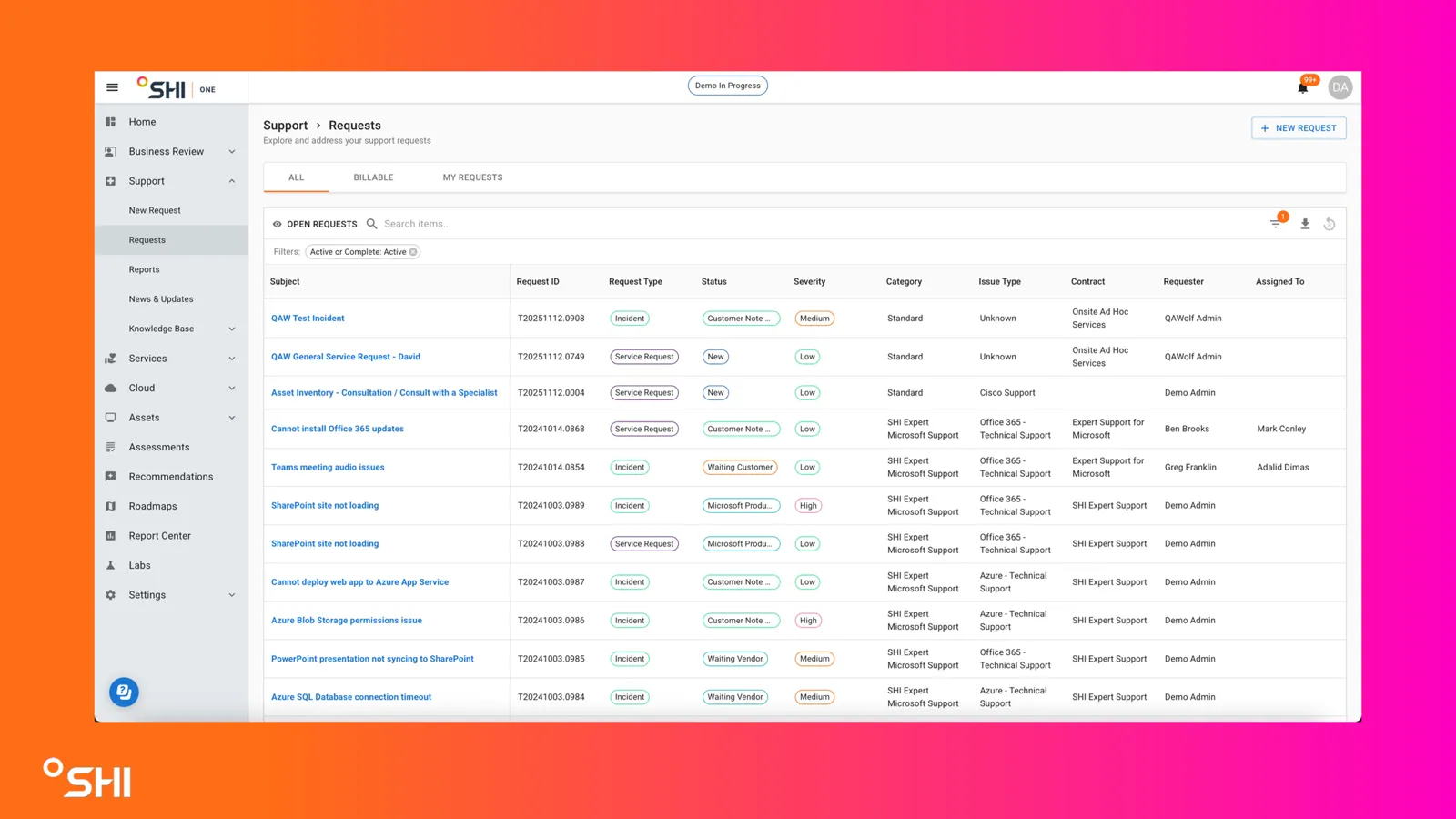
Once here, you can explore and manage your support tickets, monitor their status, and take actions as described in the sections below.
How To Guides
Submitting a New Request
On the lefthand sidebar, navigate to Support -> New Request
- Select the applicable Request type:
- Service Request: Initiates a new service action for a deliverable service
- Change Request: For the addition, modification, or removal of anything that could impact a service
- Report an Incident: For unplanned interruptions or reduction in quality of a service
- Select the applicable Contract
- Select an Issue Type
- Select a Sub-Issue Type
- Provide a Subject
- Provide a Description
- Include as much information about the issue as possible; this will help the Support Center diagnose and fix the issue faster
- Attach screenshots and/or supporting files
- Click Submit
For more detailed information, visit How to Report an Issue.
What if I Can't Submit a Support Request?

If you cannot submit a Support Request, it means your organization's SHI One Admin has not added you to the necessary Security Group(s).
Contact your organization's SHI One Admin and have them add you to the necessary Security Group(s).
Tracking / Updating Requests
Locate the request you want to view in the table, use filter, search and sort to find tickets more effectively.
Click the Subject link (blue text) to open the detailed view of the ticket.
Here, you can see all information, add comments or attachments, and monitor progress.